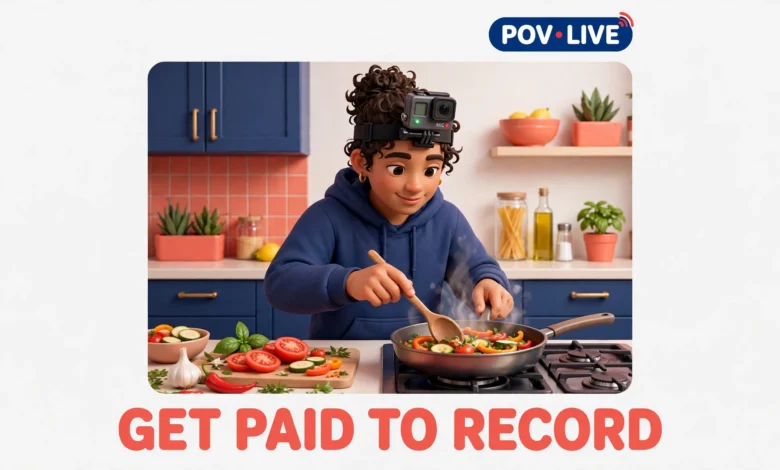
You have probably seen ads promising easy money for recording everyday videos for AI companies. The surprising part is that the core offer is real. AI labs train smart glasses, robots, and AR assistants by studying first person video of ordinary life: cooking a meal, fixing a tap, stocking shelves, folding laundry. They cannot film all of that themselves, so they pay ordinary people to record it. The less surprising part is that the pay is modest, the rules are strict, and a lot of footage gets rejected. This guide explains how these projects actually work, what you can realistically earn, and how to start without wasting hours on recordings nobody will pay for.
The honest headline first: this is casual side income, not a job replacement. Most contributors earn a few dollars per approved hour of footage, projects come and go, and nobody guarantees steady hours. It fits people who already spend time at home or in a workplace where recording is allowed, and who do not mind following detailed instructions. If an offer promises hundreds of dollars a week for casual phone videos, treat it as a red flag, not a shortcut.
What Is Egocentric Video Collection?
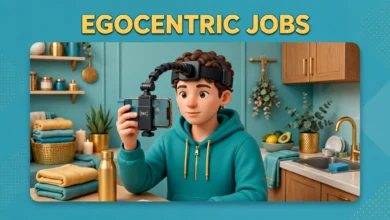
Egocentric video means video recorded from your own point of view. Instead of filming someone else, you wear a camera on your head or chest and record what you see while you do a task. AI models learn from this footage how hands move, how objects are handled, and how a room looks from a person’s perspective. That is why this work is different from filming a vlog. The camera stays steady, your hands stay in frame, and the task itself matters more than your commentary.
If you are new to the concept, start with our explainer on what egocentric data is. In short, AI needs to see the world the way a person wearing smart glasses would see it, and the only way to get that footage at scale is to pay many people to record their daily routines.
What Kind of Videos Do These Projects Want?
Most projects ask for ordinary tasks, filmed in full, without cuts or staging. Common categories include household chores like cooking, cleaning, and laundry; home repair and DIY tasks like assembling furniture or fixing a leaking tap; and workplace tasks like packing boxes, stocking shelves, or operating simple machinery. The task must be real, not performed for the camera in a fake way. Reviewers can usually tell when someone is pretending to cook, and staged footage is one of the fastest ways to get a recording rejected.
Beyond household and workplace tasks, there are two growing variants. Voice variants ask you to speak naturally while you work, describing what you are doing, so the AI learns to connect speech with actions. Hand tracking variants focus tightly on your hands: sorting objects, using tools, or handling small parts. These need cleaner framing than a general chore video, because the hands must stay visible for most of the clip. If your first project allows a choice, pick a simple household task first, since the framing rules are more forgiving.
Which Platforms Run These Video Projects?
Several established platforms run video collection projects, and they differ in how they recruit and pay. OpenTrain runs AI data projects including video and egocentric collection, and you can explore its current work at OpenTrain. Claru and EgoVista are names you will see in egocentric project listings, often recruiting through their own sites or partner platforms. OneForma is a larger data platform that lists varied AI training tasks, including video and audio collection. You may also see short term project listings on Upwork, where clients post fixed collections with their own instructions and rates.
Do not sign up everywhere at once. Each platform has its own qualification test, upload rules, and reviewer standards. Start with one platform, learn its feedback style, and only add a second once your approval rate is steady. Contributors who juggle five platforms at once usually repeat the same framing mistake on all of them. Our guide to egocentric data collection jobs explains the wider landscape, including text and audio tasks, if you want to compare video work against other AI training jobs.
How Much Do You Actually Get Paid?
Realistic pay for video collection sits roughly in the $3 to $9 range per approved hour of footage, with most projects landing in the middle of that range. Higher rates usually come with harder requirements: longer continuous tasks, specific locations, two person households, or rare skills like operating workshop tools. Lower rates are common for simple household tasks that anyone can record. Pay is almost always calculated on approved footage only. If you record two hours and reviewers approve ninety minutes, you are paid for ninety minutes, not two hours.
That distinction matters when you calculate your real hourly rate. A one hour task can easily take ninety minutes once you add setup, room preparation, uploading, and fixing rejected clips. Add the time spent reading instructions and doing the qualification test, and your effective rate drops further. This is why experienced contributors treat video collection as flexible pocket money, not as a reliable income stream.
Pay also varies by country and project budget. Some projects pay more for footage from underrepresented regions, while others pay a flat global rate. Check the rate card before you record, not after. If a project does not state its rate clearly, ask in the platform’s support channel before starting.
What Gear Do You Need to Record?
The good news is that you probably already own the main tool: a modern smartphone with a decent camera and enough free storage. Most projects accept recent iPhone and Android models, and the project instructions will list minimum requirements such as camera resolution and frame rate. Older phones with poor low light performance will struggle, because dim kitchen footage with heavy noise is a common rejection reason. Record a short test clip in your actual kitchen and check it on a bigger screen, not just on your phone.
- A head strap or chest mount: this holds the phone at eye or chest level and keeps your hands free. Head straps give a truer first person view, while chest mounts are steadier for longer tasks. Test a cheap mount for comfort first, because a mount that slips mid task ruins the recording.
- A phone with enough storage and battery: an hour of high resolution video eats storage fast, so clear space before recording and keep a charger nearby for long tasks.
- Good lighting: open curtains, switch on kitchen lights, and avoid filming with a bright window directly behind you, which turns everything else into a silhouette.
- Smart glasses option: some projects supply or accept smart glasses with built in cameras, which give the most natural first person view. Do not buy expensive smart glasses just to qualify unless the project confirms they are required and reimbursed, since most projects accept a phone mount.
What Are the Privacy and Safety Rules?
Privacy is where beginners lose the most footage. Before you press record, prepare the room. Remove documents, letters, and anything with account numbers from counters and tables. Turn screens away from the camera or switch them off, since monitors and TVs often show personal information. Lock away medication, valuables, and anything you would not show a stranger, because reviewers and AI trainers will see this footage.
Keep other people out of frame whenever possible, especially children and family members who have not consented. Most projects forbid filming identifiable people without written consent, and footage with unexpected faces is usually rejected or deleted. If someone walks into the room mid task, pause, wait until they leave, and start a fresh clip rather than trying to edit them out. Editing or blurring footage after recording is usually against project rules, since reviewers need the original, unaltered video.
Workplace recording needs extra care. Never record at work without your manager’s clear permission, and check whether your employer has a policy against cameras on site. Warehouses, kitchens, clinics, and offices often have rules about filming for safety or confidentiality reasons, and violating them can cost you your job. Get permission in writing if you can, and stick to the approved areas and tasks.
Finally, read the data retention policy before you upload anything. It should explain who sees the footage, how long it is stored, and whether it can be used to train commercial AI models. Legitimate platforms publish this clearly. If you cannot find a retention policy, or if it says your footage may be shared publicly, skip the project.
How Do You Avoid Scams?
The scam warning is simple and absolute: legitimate platforms never charge applicants. You should never pay a registration fee, a training fee, a kit fee, or a refundable deposit to start recording videos for AI training. Scammers copy the language of real platforms, promise high weekly pay, and then ask for a small payment to unlock the project. Once you pay, the project disappears. Real platforms make money from their AI clients, not from contributors.
Other warning signs include recruitment only through WhatsApp or Telegram with no verifiable company website, pressure to pay quickly to secure a limited slot, and requests for your bank login or full identity documents before any work exists. A real platform will have a public website, a support channel, and a written task agreement. If a recruiter cannot point you to any of those, walk away.
How Should You Start Without Wasting Time?
- Pick one platform and one simple project, ideally a household task you already do regularly, like cooking or cleaning.
- Read the full instructions twice, including the framing, lighting, and audio rules, before recording anything.
- Record one short test clip, upload it, and wait for the approval feedback instead of recording five more hours in the same style.
- Fix exactly what the reviewers flagged, then scale up to longer recordings.
- Track your approved hours and effective rate for the first month, and drop the platform if your real earnings fall far below what the rate card promised.
Is Recording Videos for AI Worth It?
For the right person, this is worthwhile side income with modest expectations. It will not replace a job and it will not pay every week, but it needs no degree or audience, and you can pause whenever projects dry up. Start with one platform, one test recording, and a clear check of the rate and retention policy before you scale up. Contributors in South Asia can also check our guide on egocentric data collection in Pakistan and India for regional pay expectations.
Frequently Asked Questions
Do I need a special camera to record videos for AI training?
No. Most projects accept a modern smartphone mounted on a head strap or chest mount. Smart glasses are an option on some projects, but do not buy expensive gear before you pass the qualification test and confirm the project requires it.
How much can I realistically earn recording videos for AI?
Expect roughly $3 to $9 per approved hour of footage, and remember that only approved footage is paid. Hours are not guaranteed, projects come and go, and your effective rate is lower once setup and upload time are included, so treat this as casual side income.
Can I record videos at my workplace for AI training?
Only with your manager’s clear permission and within your employer’s camera policy. Many workplaces ban filming for safety or confidentiality reasons, so get permission in writing and record only the approved areas and tasks.
Is it safe to share videos of my home with AI companies?
It can be, if you prepare carefully. Remove documents and screens from view, keep family members out of frame, and read the platform’s data retention policy before uploading. Skip any project that lacks a clear policy or asks you to pay a fee to join.
Last updated: October 2026.