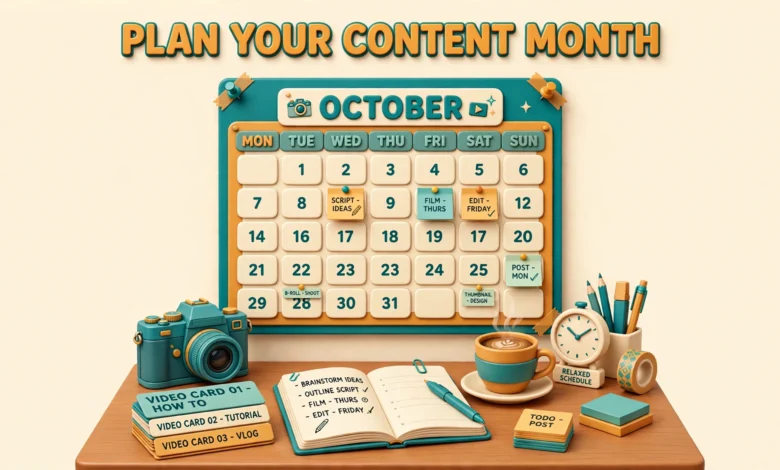
Every creator knows the feeling. You open your phone, stare at the blank screen, and realise you have nothing to post today. You scroll for inspiration, then rush out something half finished. A content calendar fixes this by moving the hard thinking to one calm moment each week.
This guide explains how to build a content calendar for creators in 2026: how to plan a month of content without burning out, pick a rhythm you can keep, use pillars so no week feels repetitive, and track the numbers that show what is working.
What a Content Calendar Actually Is
A content calendar is a simple plan that answers three questions before the week begins: what will I post, when will it go live, and what stage is it in. It is not a productivity system, and it does not need colour coded tabs and twenty columns. The best calendar is the one you actually open every week.
A calendar cannot fix a schedule you cannot keep. If you can only make two videos a week, a calendar with five videos a week is not a plan, it is a guilt machine. Many creators fail because they copy a template built for a full time team. Start with what you can genuinely finish, and let the calendar protect that rhythm.
Start With Your Rhythm, Not Your Calendar
Before you open a spreadsheet, decide how often you will post. Two videos a week you will actually finish beats five you will not, every single time. Consistency is what the algorithm and your audience reward, and it only exists when the workload fits your real life. Look at your week honestly, then pick a number you could keep for three months.
Your rhythm also includes the formats you enjoy. If you hate writing long captions, do not plan three carousels a week. If you love talking to the camera, lean into short videos. Choose one main format you enjoy and one supporting format.
One Row Per Video, Not One Row Per Platform
Here is the mistake that ruins most creator calendars: one row per platform. That turns one video into five separate jobs, one for Instagram, one for TikTok, and one for YouTube Shorts. You end up with a calendar that looks full and a creator who is exhausted.
Do it the other way around. A content calendar is one row per video, not one row per platform. You make one video and post it in five places, with one column per platform in the same row. The columns track small differences, like a different caption or posting time. The idea stays one idea, and the work stays one piece of work. Our guide to repurpose TikTok videos into Reels and Shorts shows how to adapt one video for each platform.
Pick 2 to 4 Content Pillars
Content pillars are the handful of themes you return to again and again. Most creators need only two to four. A cooking creator might use Teach, Show, and Talk. Teach is a recipe or a technique. Show is a behind the scenes look at the kitchen. Talk is an opinion or an answer to a follower question.
Pillars protect you in two ways. First, they end the blank page problem, because every idea must fit one of your pillars. Second, they keep your audience from getting bored: a week of nothing but tutorials feels like a lecture, while a mix of tutorial, story, and behind the scenes feels like a person worth following. Assign pillars across the week and rotate the order. Our guide to build a personal brand as a creator in 2026 explains how a few consistent themes make you memorable.
Write the Hook Before You Film Anything
Every row on your calendar needs a hook before it earns a filming slot. The hook is the first line a viewer hears or reads. Write it in the calendar itself, next to the idea. If you cannot write the first line, the idea is not ready, and no amount of filming will save it.
This rule saves more time than any editing trick. Creators who film first and think later end up with hours of footage and no clear opening. Creators who write the hook first know exactly what the video is about before the camera turns on. A good hook is specific and honest: it promises one clear thing the viewer will learn, see, or feel, and the video delivers exactly that.
Fill One Week at a Time
Do not try to plan a whole month in one sitting, or the calendar becomes a weekend project you dread and abandon. Instead, fill one week at a time on the same day each week, in about 30 minutes. Look at the week ahead, pick your pillars for those days, write the hooks, and stop.
Batch the work inside the week too. Film all of the week videos in one session, then edit them in another, then schedule them. Switching between filming, editing, and posting all day is exhausting, because each task uses a different kind of energy. Plan at the same time each week, so it becomes a habit instead of a decision you remake.
Use Status Stages So Nothing Gets Lost
Every idea needs a status, so you can see at a glance what is done and what is stuck. Four stages are enough: Idea, Draft, Scheduled, and Live. Stages make problems visible: six ideas and zero drafts on a Wednesday means filming is the bottleneck. Without stages, everything feels equally urgent and nothing gets finished.
- Idea: title and hook written, nothing filmed yet.
- Draft: video filmed or post written, now being edited.
- Scheduled: finished post uploaded and set to go live.
- Live: post published, and you can track how it performs.
Plan in Layers: 3 Months Ahead Without the Stress
Planning ahead means planning in layers, not scripting every video for the next quarter. Month 1 is detailed: dates, pillars, hooks, and statuses filled in. Month 2 is planned, with topics and pillars assigned to weeks but no hooks yet. Month 3 is outlined, with broad themes and a few anchor ideas only. Each week you promote next month ideas one layer closer to detailed.
Seasonal content needs its own layer, planned 45 to 90 days ahead. Festivals, holidays, and exam periods reward early content, because interest rises weeks before the event. A Ramadan series planned in January performs far better than one rushed out the week before.
Tools That Work and Cost Nothing
You do not need paid software to run a content calendar. Google Sheets is free and simple, and one sheet with columns for date, pillar, hook, and status is enough. Notion has a free tier with calendar, board, and timeline views, plus AI caption drafting for rough ideas. A plain CSV template works too.
If you want a ready made starting point, there are free templates worth trying. The content calendar template from Octoque explains a clean one row per video layout, and the content calendar template from Toggles gives you a simple structure you can copy and adapt. Take the structure, ignore fields you will never fill, and make it yours.
Track One Number Per Format
After publishing, track one number per format. One number, not ten. For carousels, track saves: they mean people found it worth keeping. For reels and videos, track completion rate, the strongest sign a video held attention. For threads, track bookmarks. For newsletters, track clicks. Write the number in the same row as the post, so the lesson lives where the plan lives.
Review these numbers in your weekly session and look for patterns over four weeks, not one post. Four weeks of data shows which pillar your audience saves and which hook keeps viewers watching. Then adjust next month: more of what works, less of what does not, and one small experiment each week. For a step by step growth plan that pairs with this habit, see our guide to grow on Instagram in 30 days.
Your Backlog Is Not Your Calendar
Ideas without a date live in a backlog, not on the calendar. The backlog is a messy list where every half formed idea is welcome. The calendar is a commitment: this idea, this day, this hook. When the two mix, the calendar becomes a wish list and stops being a plan.
Keep the backlog on another tab or page, clearly separate from the calendar. When you need an idea for Thursday, pull from the backlog, give it a date and a hook, and move it onto the calendar. An idea that sits there for months is not a failure. The same rule applies to trends: if one fits a pillar and you can write a genuine hook, promote it. If not, let it pass.
A Simple 30 Minute Weekly Planning Routine
Here is the whole system in one routine you can repeat every week. Do it at the same time, in the same place, with your phone on silent. Thirty minutes, five steps, and the week is planned.
- Review last week: check one number per format and note one lesson.
- Pick the pillars: decide which pillars get the slots this week and in what order.
- Pull ideas from the backlog: choose one idea per slot and give each a date.
- Write the hooks: one first line per idea, and drop any idea with no hook yet.
- Check the balance: make sure the week is not all one pillar or format, then close the calendar.
That is the entire system. A calendar, a rhythm you can keep, two to four pillars, hooks written before filming, one week planned at a time, four stages, three layers, one number per format, and a backlog that holds the rest. It quietly turns posting from a daily emergency into a weekly habit.
Frequently Asked Questions
How far ahead should a creator plan content?
Plan one week in detail, the next month in broad topics, and the month after that as themes only. Seasonal content is the exception: plan it 45 to 90 days ahead so posts go live while interest is still rising. Planning further ahead in full detail wastes effort.
What is the best free tool for a content calendar?
Google Sheets is the best starting point because it is free, simple, and easy to share. Notion is a good step up for calendar and board views plus AI caption help. A plain CSV template works fine too.
How many posts per week should a content calendar have?
As many as you can finish consistently for three months. For most solo creators that is two or three posts a week. Two videos a week you actually finish beats five you abandon, because consistency builds trust. Increase the number only after the rhythm feels easy for a full month.
What should I do when I fall behind on my content calendar?
Do not try to catch up by posting everything late, because that just moves the burnout to next week. Move missed ideas back to the backlog and ask whether the rhythm was too ambitious. A calendar that survives a bad week without guilt is doing its job.
Last updated: November 2026.