Why repurposing is the default growth strategy now
A few years ago, creators treated each platform like a separate full-time job. Film for TikTok, then film again for Reels, then film again for Shorts. That workload was unsustainable, and smart creators quietly abandoned it. In 2026, repurposing one strong video across every platform is not a lazy shortcut. It is how every serious small creator operates.
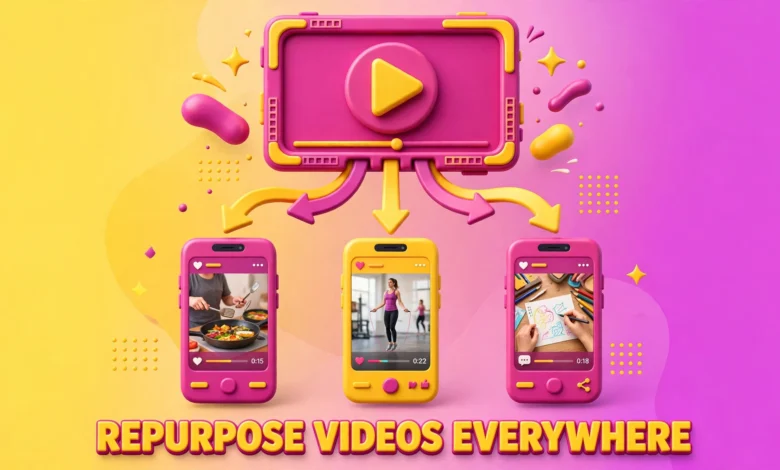
The logic is simple. You already did the hard part: the idea, the filming, the performance, the edit. Posting that same core video on four platforms multiplies its surface area without multiplying the work. One viral TikTok can earn 200,000 views. Natively adapted for Reels and Shorts, that same video can double or triple your total reach.
Here is the honest caveat up front. Repurposing works brilliantly, but only if you adapt the video to each platform instead of blasting out identical copies. Platforms have different audiences, trending sounds, caption styles, and UI layouts. A raw copy-paste job looks unpolished, and in the worst case it gets suppressed by the algorithm. The workflow below shows how to repurpose properly.
Rule one: never download your video from TikTok
This is the single most important rule in cross-posting, and it surprises most beginners. When you download a finished video from TikTok, the app burns its watermark into the footage. That watermark tells every other platform this content was made elsewhere.
Instagram has been open about this for years. Its ranking guidance explicitly states that content with visible watermarks from other apps gets less distribution on Reels. The algorithm deprioritizes it, and even when it does get shown, viewers perceive it as lower quality. A bouncing TikTok logo in the corner signals “I did not make this for you” to every Reels viewer.
The fix is straightforward: always keep a clean, watermark-free master export of every video you make. Film in your phone camera app or edit in CapCut, VN, or your editor of choice, then export the finished video without uploading it to TikTok first. That clean file is your master copy. From it, you create each platform version. Make this a non-negotiable habit and you will never fight the watermark problem again.
The core repurposing workflow, step by step
Here is the complete process that experienced creators use, from filming to multi-platform publishing.
How should I film for multi-platform repurposing?
Film vertically in 1080 by 1920, the native format for TikTok, Reels, Shorts, and Facebook Reels alike. Frame your subject in the center and keep all important text within the center 80 percent of the frame. Each platform overlays its own interface: like and comment buttons on the right, captions and audio credits at the bottom, your profile header at the top. Text near the edges gets covered, and it looks different on every platform, so central placement is the only safe choice.
Also, film clean audio even if you plan to replace the sound later. A clear voice recording gives you maximum flexibility: you can layer a trending sound underneath it on each platform, or keep your original audio where that performs best.
What does a platform-native version actually mean?
A platform-native version is not just your TikTok video uploaded to Reels. It is the same core content, adapted so it feels like it was made inside that app. The two adaptations that matter most are audio and captions.
For audio, swap in a trending sound from each platform’s own music library. TikTok, Instagram, and YouTube each push videos that use their current trending sounds. A video carrying TikTok’s trending sound into Reels will not get the Reels trending-audio boost. Open the Reels editor, find a trending track that fits your video’s mood, and layer it under your voiceover. Do the same in the YouTube app for Shorts. This takes about two minutes per platform and it genuinely affects distribution.
For captions and on-screen text, use each platform’s native caption tools or matching fonts. Viewers can tell when text styling looks foreign to the app they are in. Native-styled captions also keep your video inside the safe zones automatically. If you prefer burned-in captions from CapCut, double-check them against each platform’s safe zones before publishing.
How should captions and hashtags differ per platform?
Caption strategy is where most repurposers get lazy, and it is also where easy wins hide. Each platform rewards a different caption style.
- TikTok: keep captions short and punchy, and use 3 to 5 hashtags mixing trending tags with niche ones. TikTok’s search is keyword-driven, so include your main topic words in the caption text itself.
- Instagram Reels: write slightly longer captions that invite comments, and use 5 to 10 hashtags blending broad reach tags with specific niche tags. End with a question whenever possible, since comments drive Reels distribution.
- YouTube Shorts: treat the title like a mini SEO title. Use a real keyword phrase people search for, and add 1 to 2 tags like #Shorts. Shorts can surface in YouTube search for years, so keyword thinking pays off long after the upload.
- Facebook Reels: keep captions conversational and simple. Facebook’s audience skews slightly older and responds to plain language rather than hashtag-heavy captions. A few hashtags are fine, but do not overload them.
The deeper point: rewrite the caption for every platform instead of copying it. Your audiences overlap more than you think, and followers who see the identical caption three times will feel spammed. Varied captions also let you test different hooks and see which framing performs best.
How long should each platform version be?
Length guidance has shifted as each platform matured. In 2026, the practical rules are:
- Instagram Reels: keep it under 90 seconds for the best completion rates. Reels watch time is heavily weighted, and shorter videos get rewatched more often, which compounds your reach.
- YouTube Shorts: the sweet spot is 30 to 60 seconds. Shorts under a minute loop cleanly, and loops are free extra watch time.
- TikTok: tolerates longer videos better than the others. If your full explanation needs two minutes, let TikTok host the long version while the other platforms get a tighter cut.
- Facebook Reels: aim for the same range as Instagram Reels, under 90 seconds, since the ranking systems share DNA.
You do not need to re-edit for length every time. A smart approach is to film your core video at a length that works everywhere (45 to 75 seconds), then extend only where a platform rewards it. If your TikTok version runs long, that is fine. Cut a punchier version for Shorts and Reels from the same master export.
How do I schedule reposts without looking duplicative?
Space out your reposts instead of publishing everywhere at once. A practical rhythm: post to your primary platform first, then roll out the adapted versions over the next 24 to 48 hours. This gives each platform’s algorithm a clean launch window and prevents your cross-platform followers from seeing the same video four times in one scroll session.
Vary the hook as well. The hook is the first two seconds: the on-screen text, your opening line, or the visual that stops the scroll. Keep the body of the video identical but change the hook text and opening caption per platform. This is a small effort with a large payoff, because it means even followers who watch on multiple platforms get a slightly different experience, and you learn which hook style converts best on each platform.
One more honest caveat about audience overlap. As you grow, the same people will follow you on TikTok, Instagram, and YouTube. The creators who handle this well treat each platform as a distinct relationship: same core ideas, different packaging, occasional platform-exclusive content. If you want to go deeper on growing each audience on its own terms, our guides on growing on TikTok in 2026 and going viral on Instagram Reels cover the platform-specific tactics in detail.
How do I batch-create weeks of content in one session?
Batching is what turns repurposing from a chore into a genuine content system. Instead of filming and adapting one video at a time, block out a single session and produce in bulk.
- Film 5 to 10 videos in one sitting. Same lighting, same setup, different outfits if you want visual variety between posts.
- Export every clean master file into a dedicated folder before uploading anything.
- Edit all videos in one pass: captions, cuts, and pacing, while you are in editing mode.
- Create the platform adaptations in a second pass: swap trending audio per platform, adjust captions, and check safe zones.
- Schedule everything using each platform’s native scheduler, spacing posts across the coming weeks.
One focused afternoon can produce two to three weeks of multi-platform content. This is how small creators with day jobs stay consistent, and consistency is what separates growing accounts from stagnant ones. For a broader comparison of where your effort pays off most, see our breakdown of YouTube Shorts vs Reels vs TikTok.
Common repurposing mistakes to avoid
- Uploading TikTok downloads with the watermark still on them. This is the number one reach killer and it is completely avoidable.
- Using the same trending sound across all platforms. Trending audio is platform-specific, so match the sound to the app.
- Copy-pasting identical captions and hashtags everywhere. Rewrite for each audience.
- Ignoring safe zones. Text hidden under UI buttons looks amateur and hurts retention.
- Posting everything simultaneously. Stagger the rollout over 24 to 48 hours.
- Forgetting Facebook Reels. Smaller audience, strong sharing behavior, one extra upload.
External perspective helps too. Resources like the Hopper HQ guide to repurposing Reels across platforms walk through scheduling and adaptation tactics that pair well with the workflow above. Instagram’s own creator resources are also worth checking for the latest ranking guidance.
The bottom line on repurposing in 2026
Repurposing is no longer a growth hack. It is simply how content distribution works now. Film once, keep a clean master, adapt natively for each platform with its own trending audio and caption style, respect the safe zones, stagger your rollout, and batch the whole process. Do that consistently and one good video becomes four shots at going viral instead of one.
The creators who lose at this game are not the ones with small followings. They are the ones still filming the same idea four separate times, burning out, and posting inconsistently. Adapt honestly for each audience, and let every video you make earn its full reach.
Frequently asked questions
Will Instagram penalize my account for posting TikTok videos?
Instagram does not punish accounts for cross-posting, but it deprioritizes individual videos that carry visible TikTok watermarks. Upload a clean, watermark-free version with native Reels audio and captioning, and it is treated like any other Reel.
How do I remove the TikTok watermark from an old video?
The reliable method is prevention: always save a clean master export before uploading to TikTok. For videos where the master is already lost, cropping or blurring the watermark degrades quality and still looks unpolished. Going forward, build the clean-master habit and the problem disappears.
Should I post the same video on all platforms on the same day?
Staggering gives each platform a clean launch window and keeps cross-platform followers from seeing the identical video everywhere at once. Vary the hook and caption each time so every version feels fresh.
Does repurposing hurt my chances of going viral?
No. Each platform’s algorithm judges the version you upload to it, not where the idea comes from. A natively adapted video with the right trending audio, proper safe zones, and a platform-appropriate caption competes on equal footing with anything filmed in-app. What hurts virality is lazy duplication: watermarks, wrong aspect ratios, and copy-pasted captions. Adapt properly and repurposing multiplies your viral chances instead of reducing them.
Last updated: October 2026.