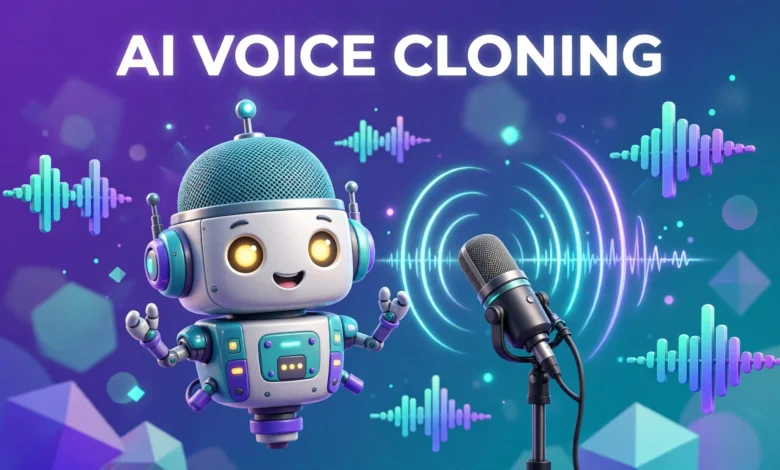
Imagine recording your voice once, then letting an AI narrate every future video in that same voice while you sleep. That is the promise of AI voice cloning, and in 2026 it has moved from a tech demo to a tool that small creators actually use every week. Faceless channels narrate whole videos without touching a microphone, busy creators fix a flubbed line without re-recording, and multilingual creators dub their own videos into Spanish, Hindi or Urdu in their own voice.
It also comes with real limits: free plans that ban commercial use, clones that sound flat on emotional lines, platforms that demand disclosure, and one hard rule about consent that you must never break. This guide compares the main tools on price, quality and consent rules, so you can pick the right one instead of paying for the wrong one.
What Is AI Voice Cloning?
AI voice cloning is software that learns the sound of a voice from a short audio sample, then reads any text aloud in that voice. You give it ten to sixty seconds of clean speech, it builds a voice model, and from then on you type a script and download the narration.
There are two kinds of clone. An instant clone is built from a short sample in minutes and is good enough for short videos, social clips and drafts. A professional clone needs more training audio and verification, sometimes a recorded consent statement, and sounds noticeably more natural on long narration.
How Creators Actually Use Voice Cloning
Voice cloning is not one trick. Creators use it in at least four different ways, and each one suits a different tool. Knowing your use case before you pay saves you from buying a video editor when all you needed was a voice. Consistent posting matters more than perfect audio in the early weeks, as our guide to growing on Instagram in 30 days shows.
- Narrating faceless videos. You write the script, the clone reads it, and you never sit in front of a microphone. This is the biggest use case, and it pairs well with the faceless channel workflow in our guide on getting paid to record videos for AI.
- Dubbing into other languages. Some tools translate your script and read it in your cloned voice, so a viewer in Mexico hears you, not a stranger. This is how small channels reach audiences they could never record for by hand.
- Fixing lines without re-recording. You mispronounced one word in a ten minute video. Instead of setting up the microphone again, you type the corrected word and the clone patches it in. Descript built its whole Overdub feature around this.
- Batch voiceovers. You record one clean sample, then generate voiceovers for a week of short videos in one sitting. Creators who post daily on Instagram and TikTok use this to keep a consistent voice across dozens of clips.
ElevenLabs: The Quality Leader
ElevenLabs is the name almost every creator mentions first, and for good reason. Its Eleven v4 model tops blind listener votes for natural sounding speech, and it handles emotion, pauses and emphasis better than most rivals. Instant Voice Cloning starts on the 6 dollar per month Starter plan, while Professional Voice Cloning is available from the Creator plan upward. The free plan has no cloning at all and no commercial license, so do not build a monetised channel on it.
ElevenLabs is the best choice if voice quality is your top priority and you narrate long videos. It is less of a video editor, so you will still edit in another app. Check current prices before you commit, because plans change often, and the ElevenLabs pricing page is the authoritative source.
Fish Audio: The Budget Friendly Clone
Fish Audio is the budget option that surprised a lot of creators in 2026. Its free plan works for personal projects, and the Plus plan costs around 15 dollars per month when billed annually. You can clone a voice from about ten seconds of audio, and it supports more than thirty languages, which makes it useful for creators who work in Urdu, Hindi or other languages that bigger tools treat as an afterthought. On long narration its clones can sound flatter than ElevenLabs.
Descript Overdub: Best for Fixing Mistakes
Descript is a video and podcast editor first, and Overdub is its voice cloning feature. You train it on your voice, and then you can edit your audio by editing text. Delete a sentence from the transcript and it disappears from the audio. Type a corrected word and your cloned voice says it. For creators who record long talking head videos or podcasts, this is the single most time saving feature in this guide.
Descript takes consent seriously. It needs a recorded consent statement before it will clone your voice, which is exactly how it should be. Cloning uses AI credits, so heavy users should check how many credits their plan includes. If your main pain is re-recording, not narrating from scratch, Descript is the tool to try first.
VEED: Best for Social Video
VEED is a browser based video editor built for social content, and its voice cloning runs on Eleven v4, so the quality is strong. You can create an instant clone from around ten seconds of audio, and it supports more than ninety languages, which is the widest language coverage in this comparison. It also has a Clone Yourself avatar feature that pairs a cloned voice with a digital avatar for faceless videos.
VEED is the best pick if you want one tool that edits the video, adds captions and clones the voice, without jumping between apps. A full comparison of the leading tools is available in the VEED guide to the best AI voice cloning tools.
HeyGen: Voice Plus Talking Avatar
HeyGen pairs a cloned voice with a talking avatar, so it suits creators who want a face on screen without filming themselves. It needs about sixty seconds of audio to build a clone, and the free plan is watermarked, which makes it unsuitable for published videos you want to look professional. If you only need audio, a voice only tool will be cheaper.
Murf and PlayHT: Know Before You Pay
Murf makes studio grade voices, but voice cloning is Enterprise only, which puts it out of reach for most small creators.
PlayHT is a cautionary tale. It shut down on December 31, 2025 after Meta acquired its team, so former users must migrate to another tool. If you find an old tutorial recommending PlayHT, it is out of date. Keep a clean recording of your own voice saved locally, so you can rebuild a clone anywhere if a service closes.
What Does AI Voice Cloning Cost in 2026?
Free plans are for testing, not publishing. They usually lack a commercial license, which means you cannot legally use the audio in monetised videos. That is the most common expensive mistake new creators make.
- Free plans: good for testing a clone, but usually no commercial license and often watermarked or limited.
- Starter plans, around 6 to 15 dollars per month: ElevenLabs Starter and Fish Audio Plus sit here. Enough for short videos and regular posting.
- Creator plans: professional cloning, more characters per month, and a commercial license. This is the sensible tier for a channel that earns money.
Budget for the commercial license, not just the cheapest plan. A 6 dollar plan that covers your use is cheaper than a free plan that forces you to re-record everything later. And if your income depends on AI work generally, read our guide to remote AI jobs with no experience to see how voice and data work fit together.
The Consent Rule You Cannot Skip
Here is the hard rule. Only clone your own voice, or a voice you have clear permission to use. Cloning a celebrity, a client or a stranger without permission is not a grey area. It can be illegal in many countries, it violates every major platform policy, and it can destroy your channel overnight.
The industry itself is still catching up. A Consumer Reports audit in 2025 found that only two services asked for a recorded consent statement before cloning a voice. Record your own consent statement, keep the original audio files, and never use a clone to say something the real person never said. If a client asks you to clone their voice, get written permission first and keep it filed.
Disclosure Rules on YouTube and TikTok
YouTube and TikTok both require creators to disclose AI generated content. On YouTube that means ticking the altered content box when you upload, and on TikTok it means using the AI generated label. A cloned voice counts. Skipping disclosure risks a strike, demonetisation or removal, and viewers are more forgiving than you think when you are honest about it. A short line in the description, like that the narration uses a clone of the creator’s own voice, answers the question before anyone asks it.
Where Voice Cloning Falls Short
A clone is a tool, not a replacement for a performance. It handles clear, steady narration well, and it struggles with the things that make a voice human. Laughter, anger, whispering, sarcasm and long emotional stories all come out flatter from a clone than from a real recording. If your video depends on emotional delivery, record it yourself.
Quality also varies by sample. A clone trained on a noisy phone recording will sound like a noisy phone recording. Record your sample in a quiet room, speak clearly, and give the tool clean audio. Ten seconds of clean audio beats a minute of noisy audio. Always listen to the full output before publishing, because one wrong word can change the meaning of a whole sentence.
How to Clone Your Voice Safely in 5 Steps
- Step 1: Record a clean sample. Find a quiet room, use a decent microphone, and read for at least thirty seconds in your natural speaking voice.
- Step 2: Pick the tool for your use case. ElevenLabs for quality, Fish Audio for budget, Descript for fixing mistakes, VEED for social video, HeyGen for avatars.
- Step 3: Record your consent statement. Even if the tool does not ask for one, record yourself saying you consent to cloning your own voice, and keep it.
- Step 4: Choose a plan with a commercial license. Confirm in writing that your plan covers monetised videos before you publish anything with it.
- Step 5: Listen, disclose, publish. Listen to the whole narration, fix mispronounced words, add the platform AI disclosure, then publish.
Frequently Asked Questions
Is AI voice cloning legal?
Cloning your own voice with your own consent is legal in most places. Cloning someone else’s voice without permission can break privacy, publicity and fraud laws, and it violates platform policies. Always get clear written permission before cloning any voice that is not yours.
Can I monetise videos narrated by a cloned voice?
Yes, if your plan includes a commercial license and you disclose the AI content as YouTube and TikTok require. Free plans usually have no commercial license, so check your plan terms before you publish a monetised video with a cloned voice.
How much audio do I need to clone my voice?
Instant clones need as little as ten seconds of clean audio with Fish Audio and VEED. HeyGen asks for about sixty seconds. Professional clones need more training audio and sound more natural on long narration, so give the tool the best sample you can.
Will viewers know my voice is cloned?
Many will not notice on short, steady narration, but listeners often sense something is slightly off on emotional or long form content. That is why disclosure matters. Honest viewers accept a disclosed clone, and a clone never replaces a real performance for emotional delivery.
Last updated: November 2026.