Most small YouTube creators treat the Posts tab as an afterthought. They upload a video, forget the channel for a week, then wonder why the next upload starts slow. The Posts tab exists to fix exactly that gap, because it keeps you visible between uploads without asking you to film anything new.
In 2026 the feature is more useful than it used to be, and also easier to access. The old subscriber barriers are gone, the tab has a new name inside YouTube Studio, and the formats are simple enough that a small creator can run them in a few minutes a week. This guide explains how Posts works now, what to post, how often to post, and how to use it before a video launch.
What Changed About YouTube Community Posts in 2026?
The biggest change is the name. Inside YouTube Studio the Community tab is now called Posts. Your viewers still see a Posts tab on your channel page, and the feature works the same way, but the rename matters when you look for your analytics or your publishing options. If you open Studio and cannot find a Community tab, look for Posts instead.
The second big change is access. There is no subscriber threshold any more. YouTube used to require 1,000 subscribers, then later lowered the limit to 500 subscribers, and now both of those rules are gone. A brand new channel can use Posts, which was not true a few years ago, so you can start building the habit with your first viewers instead of waiting months to unlock the tool.
Access still has conditions, and they are worth checking before you plan around the feature. Your channel needs Advanced features enabled, it must be in good standing, and it must not be set as Made for Kids. Advanced features usually means YouTube has verified your identity or your channel history, so a very new channel may need to complete that step first. If Posts do not appear for you, check those three conditions before you assume the feature is broken.
What Types of Posts Can You Publish?
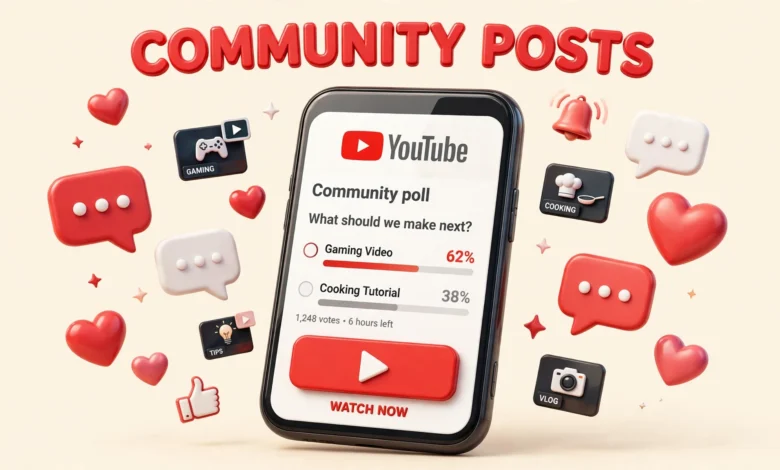
YouTube offers six post types, and each one has a different job. Polls ask your audience to vote between two or more options. Image posts share a photo, a thumbnail, a behind the scenes shot, or a simple graphic. GIF posts add a short moving image that works well for a reaction or a teaser. Video posts share a clip or link viewers to a video. Text posts share a short update, a question, or an announcement. Quizzes test your audience with a question that has one correct answer.
Polls deserve special attention because they get the highest engagement of any post type. One source puts poll engagement at 12 to 25 percent, which is roughly 5 to 10 times the engagement of other formats. That gap makes sense. Voting takes one tap, it feels private, and people enjoy seeing which option wins. A poll is the lowest effort action a viewer can take, and low effort actions get done.
Why Do Polls Work So Well for Small Channels?
Polls work because they ask for almost nothing and give something back straight away. A viewer taps once, sees the result, and feels part of a small decision. That tiny interaction tells YouTube that the viewer cares about your channel, which makes it more likely that your next video reaches that person. For a small channel, a few dozen votes can matter, because your audience is small enough that every active viewer counts.
Polls also give you real answers you can use. Ask which topic your audience wants next, which thumbnail style they prefer, or which problem they struggle with most. The answers are more useful than a comment section full of polite praise, because a vote is a choice. Use the winning option in your next video, then tell your audience that they picked it. That loop builds loyalty fast.
How Many Posts Should You Publish Each Week?
A steady baseline is 2 to 3 posts per week, not daily spam. That number is enough to stay visible without annoying your subscribers or burning yourself out. Daily posting sounds productive, but it usually leads to low effort posts that train your audience to ignore you. Two thoughtful posts beat seven rushed ones.
How Can Posts Help a Video Launch?
A poll or teaser posted 24 hours before a video launch can lift first hour views, and first hour views matter. YouTube watches early signals closely, so a video that gets clicks, likes, and comments quickly is more likely to be shown to more people. A post the day before warms up your core audience, so they are ready when the video goes live instead of discovering it days later.
Keep the teaser honest. Show a real frame from the video, quote a real tip from it, or share the problem it solves. A teaser that promises something the video does not deliver will earn clicks once and lose trust for months. Your subscribers will remember a misleading teaser longer than they remember a good one. Do not post five teasers for one video. One poll, one launch post, and one follow up is enough.
Where Do Your Posts Actually Appear?
Posts surface in your subscribers home feeds and in the Subscriptions tab, not only on your channel page. That detail matters, because most subscribers never visit your channel page. They watch from their home feed or from the Subscriptions tab, and a post that appears there can reach them without a new video. If you only think of Posts as something on your channel page, you will underestimate their reach.
What Should You Post When You Have No New Video?
The weeks without a new video are when Posts earn their keep. Share a behind the scenes photo of your recording setup, ask which topic your audience wants next, or post one useful tip from a video you already made. Each of these takes a few minutes and keeps your channel visible while you work on the next upload.
- Ask a question your audience can answer in one word, such as their biggest editing problem or their favourite tool.
- Share a photo of your desk, your notes, or a work in progress shot with one short caption.
- Revisit an old video with one new tip you learned since you filmed it, and link back to the original.
- Run a quiz related to your niche, with the answer revealed in the comments or in your next video.
- Thank your audience for a milestone, however small, and tell them what comes next.
How Do You Plan a Simple Weekly Posts Routine?
A routine beats inspiration. Sit down once a week for 15 minutes and plan your 2 to 3 posts. Pick one poll, one image or teaser, and one question or update. Write the captions in advance, choose the images, and schedule the posts if that helps you stay consistent. Planning in one batch removes the daily decision of what to post, which is where most creators give up.
If you want a broader growth plan to pair with Posts, read our guide on how to get your first 1,000 YouTube subscribers in 2026. Posts warm your audience, but subscribers come from videos that solve a real problem, so the two need to work together. Our guide on how to grow on Instagram in 30 days also shows how short form posting habits transfer across platforms.
How Do You Measure Whether Posts Are Working?
Analytics for Posts live in YouTube Studio under Content, then Posts. Open that section once a week and look at three numbers for each post: views, likes, and votes or comments. Views tell you how many people saw the post. Likes and votes tell you how many cared enough to act. A post with high views and low engagement reached people but did not interest them, while a post with lower views and high engagement reached the right people.
What Mistakes Should Small Creators Avoid?
The most common mistake is posting too often with too little to say. Daily low effort posts train subscribers to ignore you, and YouTube notices when your posts get skipped. Two good posts a week will always beat seven forgettable ones. If you have nothing useful to say, say nothing that day.
The second mistake is using Posts only to promote. A feed full of watch my video posts with no questions, no tips, and no personality feels like an advert, not a community. Mix promotion with value. For every post that links to a video, publish at least one post that asks a question, shares a tip, or starts a conversation with no link at all.
Finally, do not copy big channels blindly. A creator with a million subscribers can post a single emoji and get thousands of likes, because their audience is huge. You cannot. Your posts need a clear question, a clear image, or a clear reason to stop and engage. Study what big creators do, then adapt the idea to a small audience instead of copying the post word for word. For a comparison of short form formats that can feed your Posts ideas, see our YouTube Shorts vs Reels vs TikTok comparison.
For the official rules on eligibility and post types, check YouTube Help, and for practical examples of how the tab supports growth, see how the YouTube Community tab can help you grow. Both sources confirm the basics in this guide, and the official help pages are the best place to check if the rules change again.
Frequently Asked Questions
Do I need 1,000 subscribers to use YouTube Posts?
No. There is no subscriber threshold any more. YouTube removed the old 1,000 subscriber rule and then the later 500 subscriber rule. You need Advanced features enabled, good standing, and a channel that is not set as Made for Kids.
How often should a small channel post on the Posts tab?
Start with 2 to 3 posts per week. That keeps you visible without spamming your subscribers. Test that baseline for a month, check your engagement in YouTube Studio under Content, then Posts, and adjust from there.
Which post type gets the most engagement?
Polls get the highest engagement. One source puts poll engagement at 12 to 25 percent, roughly 5 to 10 times other formats. Image posts are a strong second choice, especially when the image is clear and easy to read on a phone.
Can Posts really help my next video perform better?
Yes, when you use them before a launch. A poll or teaser 24 hours before your video goes live can lift first hour views by warming up your core audience. Posts alone will not grow a dead channel, but they can give a good video a stronger start.
Last updated: November 2026.