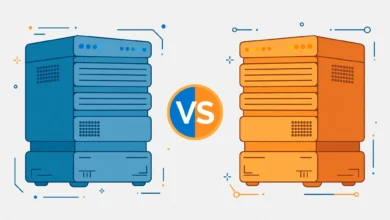
Choosing your first hosting plan feels harder than it should, because the industry throws terms like shared, cloud, VPS, and dedicated at you before you have a single visitor. For most beginners, the real decision comes down to two options: shared hosting vs cloud hosting. Shared hosting puts your site on one server alongside many others at a very low price. Cloud hosting spreads your site across a network of connected servers that can grow with your traffic. This guide explains both in plain language, compares them on the factors that actually matter to a beginner, and gives you a clear recommendation at the end.
If you are still learning what hosting even is, start with our complete web hosting guide, which explains the fundamentals before you compare specific plans.
What Is Shared Hosting?
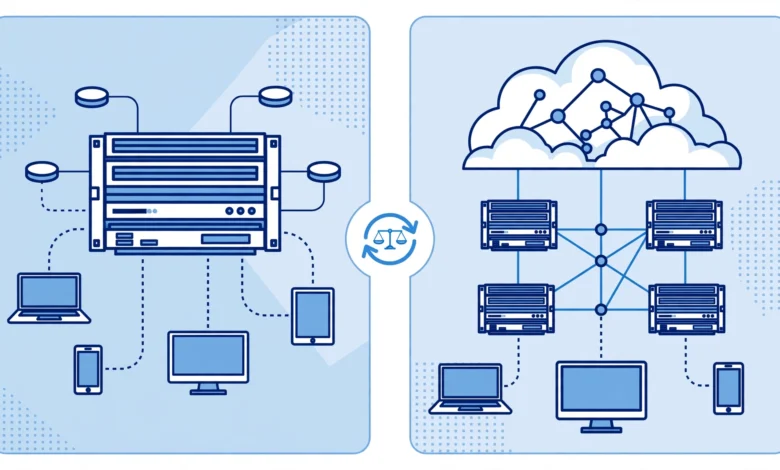
Shared hosting is exactly what it sounds like: your website lives on a single physical server that you share with dozens or hundreds of other websites. Everyone on that server splits the same pool of CPU, memory, and storage. Your host manages the server, installs the software, handles security patches, and gives you a simple control panel to manage your site.
Think of it like renting a room in a large shared house. You get your own private space (your website files, your databases, your email), but the kitchen and utilities (the server’s processing power) are communal. For a new blog, portfolio, or small business site with modest traffic, you will barely notice the neighbors.
- Price: the cheapest option by far, typically $2 to $8 per month on introductory plans, renewing around $8 to $15.
- Ease of use: built for beginners, with one-click WordPress installs, simple dashboards like cPanel or hPanel, and managed updates.
- Performance: fine for low to medium traffic, but a traffic spike on a neighbor’s site can occasionally slow yours down. This is the famous “noisy neighbor” effect.
- Scalability: limited. When you outgrow the shared pool, your only move is upgrading to a bigger shared plan or migrating to a different hosting type.
What Is Cloud Hosting?
Cloud hosting takes your website off a single machine and spreads it across a network of interconnected servers, called a cloud. If one server in the network gets overloaded or fails, another picks up the slack automatically. Instead of renting a room in one house, you are renting flexible space across a whole neighborhood that expands whenever you need more.
The defining feature of cloud hosting is elasticity: resources scale up and down with your traffic. A viral post that brings 50,000 visitors in a day will not crash a cloud-hosted site the way it might crash a shared plan. Many cloud plans also bill for what you actually use, though beginner-friendly cloud plans usually charge a flat monthly rate to keep things predictable. Cloudflare’s learning center article on cloud hosting explains the underlying architecture in more depth if you are curious.
- Price: higher than shared, usually starting around $8 to $15 per month for beginner cloud plans, with costs rising as you use more resources.
- Ease of use: improving fast. Managed cloud hosting from providers like Hostinger or Cloudways gives beginners a clean dashboard, though it is still slightly more complex than basic shared hosting.
- Performance: consistently better, because your site draws on a pool of resources instead of one crowded server. Uptime is also stronger thanks to automatic failover.
- Scalability: excellent. Add CPU, memory, or storage with a few clicks and no migration, which makes cloud hosting the natural home for growing sites.
Shared vs Cloud Hosting: Head-to-Head Comparison
Here is how the two stack up on the five factors that matter most when you are choosing your first plan.
1. Price
Shared hosting wins clearly. Introductory shared plans cost less than a cup of coffee per month, which is why almost every beginner starts there. Cloud hosting starts higher and can surprise you if your plan bills by usage and your traffic spikes. If budget is your main constraint, shared hosting is the obvious pick.
2. Speed and Performance
Cloud hosting wins. A well-optimized shared plan is perfectly fast for a new site, but it has a ceiling: one server, many tenants, occasional slowdowns. Cloud hosting distributes the load, so pages stay fast even during traffic surges. That said, performance also depends heavily on caching, image optimization, and your theme. A tuned shared site beats a neglected cloud site every time.
3. Scalability
Cloud hosting wins by a wide margin. Scaling a cloud plan is a slider adjustment; scaling past shared hosting means migrating your entire site to a new server, which takes planning and usually some downtime. If you expect fast growth, starting on cloud saves you a painful migration later.
4. Ease of Use
Shared hosting wins for absolute beginners. The control panels are simpler, one-click installers are standard, and there are fewer settings to get wrong. Managed cloud hosting has closed the gap, but shared hosting remains the path of least resistance for your very first site.
5. Reliability and Uptime
Cloud hosting wins. If the single server behind a shared plan goes down, every site on it goes down with it. Cloud infrastructure routes around failures automatically, which is why cloud hosts can credibly promise 99.99% uptime. For a hobby blog this rarely matters; for a store that takes orders around the clock, it matters a lot.
Which Should You Choose as a Beginner?
Here is the straightforward recommendation: start with shared hosting, and move to cloud hosting when your traffic or revenue justifies it. Almost every successful site you know started on a cheap shared plan. Your first year is about learning WordPress, publishing content, and finding an audience, not about surviving traffic spikes you do not have yet.
Choose shared hosting if you are launching a blog, portfolio, or small business site, your budget is tight, and you expect under 10,000 to 20,000 monthly visitors in your first year. It is cheap, simple, and more than enough. Our comparison of Hostinger vs Namecheap for WordPress and our review answering is Namecheap hosting good will help you pick a specific shared provider. If you go with Hostinger, applying the coupon code HABIB20 at checkout takes a chunk off the price.
Choose cloud hosting if you are launching an online store, a membership site, or anything where downtime directly costs money; if you already have an audience (for example, moving an established social following to a website); or if you expect rapid growth and want to avoid a migration in six months. The higher starting price buys you room to grow without rebuilding.
Whichever you choose, make sure the plan meets the official WordPress hosting requirements on wordpress.org: PHP 7.4 or higher, MySQL 8.0 or MariaDB 10.4 or higher, and HTTPS support. Every reputable host meets these, but it is worth confirming before you pay.
When to Upgrade from Shared to Cloud
Watch for these signs that you have outgrown shared hosting: your pages load slowly even after caching and image optimization, your host warns you about resource limits, your traffic regularly exceeds what the plan allows, or downtime starts costing you sales. Most hosts make the upgrade path easy, and many will migrate your site for free, so do not fear the move when the time comes. It is a good problem to have.
Frequently Asked Questions
Is cloud hosting always faster than shared hosting?
Usually, but not automatically. Cloud hosting has a higher performance ceiling because resources are pooled across servers, but a bloated theme with unoptimized images will be slow on any hosting. Optimize your site first, then let the hosting type multiply those gains.
Can I switch from shared to cloud hosting later?
Yes, and it is the most common upgrade path in web hosting. Most providers offer free migration services that move your files and database with minimal downtime. Plan the move during low-traffic hours and keep a full backup before you start.
Is shared hosting safe for a small online store?
It can work for a store just starting out, as long as you have SSL, daily backups, and a security plugin in place. Once orders become regular, the reliability and scalability of cloud hosting are worth the higher price, because even a short outage means lost sales.
What is the difference between cloud hosting and VPS hosting?
A VPS gives you a guaranteed slice of one physical server, while cloud hosting spreads you across many servers. A VPS offers predictable performance at a fixed price, while cloud hosting offers automatic scaling and failover. For beginners, managed cloud plans are usually simpler than managing a VPS.
Last updated: October 2026.