Hostinger and SiteGround are two of the most recommended names in WordPress hosting, but they aim at different buyers. Hostinger built its reputation on low prices and a simple control panel, while SiteGround built its reputation on performance tuning and support quality, at a higher price. Both can run a WordPress site well, so the right choice depends on your budget, your traffic, and how much hand holding you want from support. This comparison looks at pricing including renewals, speed technology, support, backups, staging, and control panels, so you can pick with open eyes.
One warning before the details: hosting prices change often, and the figures quoted in guides go out of date quickly. Treat every price in this article as approximate intro pricing seen in 2026 guides, not as a live quote, and always check the pricing page of each host before you buy, including the renewal price shown at checkout. Intro discounts usually apply to the first term only, and the renewal rate is the price you will actually live with. A host that looks cheapest on the sales page can cost more than a rival by year two if its renewal jump is steep.
How Do Hostinger and SiteGround Compare at a Glance?
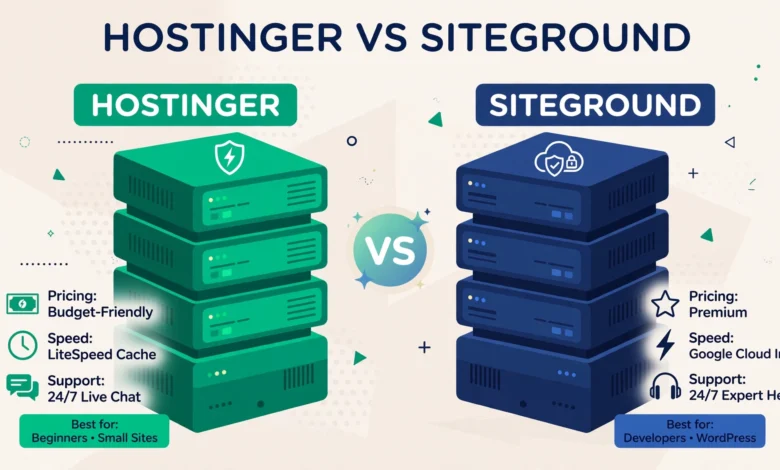
Hostinger is the budget friendly option. Its shared plans usually start at a lower intro price, its custom hPanel control panel is clean and beginner friendly, and its data centres cover several regions. SiteGround sits in the premium shared hosting tier. Its intro price is higher, its renewal price is higher still, and in return you get Google Cloud infrastructure, a custom Site Tools panel, and a support team with a strong reputation among WordPress users. Neither host is bad; they simply spend their money in different places.
- Best for tight budgets: Hostinger, thanks to lower intro and renewal pricing.
- Best for performance focused sites: SiteGround, thanks to Google Cloud hosting and built in caching.
- Best for beginners: both are friendly, but Hostinger’s panel feels simpler at first glance.
- Best for growing stores and agencies: SiteGround, thanks to staging, collaboration tools, and support depth.
- Best value over three years: depends on renewal prices at the time you buy, so compare the checkout totals.
How Do Prices and Renewals Compare?
Price is where the two hosts differ most. Hostinger’s intro pricing has typically been among the lowest in shared hosting, often just a few dollars per month on a long term plan, and its renewal prices, while higher than the intro rate, have usually stayed in the budget range. That makes Hostinger easy to recommend to students, hobby bloggers, and anyone launching a first site with little money to spare. Our earlier comparison of Hostinger vs Bluehost for WordPress shows the same pattern: Hostinger wins on price, and the question is always what you give up for it.
SiteGround’s intro pricing has typically been several times higher than Hostinger’s, and its renewal pricing rises further, which surprises buyers who only looked at the first term. What you pay for is the infrastructure and the support team rather than raw disk space. For a business site that earns money, that premium can be justified: an hour of downtime or a slow checkout page costs more than the monthly price difference. For a personal blog with little traffic, it is harder to justify, and that is where many buyers overpay. Before committing, add up the full cost of your chosen term plus one renewal year for each host, and compare those totals instead of the headline monthly figures.
Watch the plan limits as well as the price. Entry plans on both hosts cap the number of websites, storage, and monthly visits, and exceeding those limits can mean forced upgrades or throttled performance. A plan that looks cheap becomes expensive if you outgrow it in six months. Check the fine print for website counts, storage, bandwidth or visit limits, and email accounts, and pick a plan with room to grow. Our comparison of Hostinger vs Namecheap for WordPress covers similar limit traps on budget plans.
Which Host Is Faster for WordPress?
Speed depends on the server stack, the caching layer, and how close the data centre is to your visitors, not on marketing claims. Hostinger uses LiteSpeed web servers on its shared plans, which is a fast, modern server technology, and it pairs that with its own caching plugin for WordPress. LiteSpeed handles many simultaneous visitors efficiently, and for a typical blog or small business site, Hostinger’s speed is genuinely good. Its global data centre spread also helps if your audience is spread across regions.
SiteGround runs on Google Cloud infrastructure with fast SSD storage, its own SuperCacher system, and a WordPress caching plugin that handles page caching, dynamic caching, and image optimisation. In independent speed guides, SiteGround consistently scores well for time to first byte and for handling traffic spikes, which matters for stores and membership sites where every visitor triggers database queries. This article makes no claim from a private test, because lab results vary with theme, plugins, and data centre choice. The honest summary is that both hosts are fast enough for small sites, while SiteGround’s stack has an edge for dynamic, database heavy sites under load. You can measure your own results with free tools after launch; the speed guides at developers.google.com explain which metrics actually affect visitor experience.
Whatever host you choose, your own optimisation matters as much as the server. A heavy page builder layout with unoptimised images will load slowly on any shared plan. Keep images compressed, limit plugins, and use caching properly, and the gap between two good hosts shrinks a lot. If you want a broader view of what to look for in a host beyond speed claims, our web hosting guide explains uptime, support, and backup criteria in plain language.
How Do Support and Ease of Use Compare?
Support quality is SiteGround’s strongest selling point. Its support team is available around the clock by chat and tickets, and it has a long track record of solving WordPress specific problems rather than just pointing at a help article. For a beginner who needs a migration fixed or a plugin conflict diagnosed, that depth is valuable. Hostinger also offers round the clock chat support, and its response times are usually quick, but its agents are sometimes less specialised for tricky WordPress issues, and complex cases can take longer to resolve.
Control panels differ too. Hostinger uses hPanel, a custom panel designed to be simple: domains, email, files, databases, and WordPress tools are all a click or two away, and beginners rarely get lost. SiteGround uses Site Tools, also custom, which is more powerful but slightly busier, with deeper options for staging, collaboration, and developer tools. Neither host uses the classic cPanel, so if you are used to cPanel from an older host, expect a short adjustment period on either side. Both panels include one click WordPress installation, automatic updates options, and SSL certificates, so the basics are covered wherever you land.
How Do Backups, Security, and Staging Compare?
Backups are the feature buyers forget until they need them. SiteGround includes daily backups on its shared plans, with easy one click restore from the panel, and it keeps multiple restore points. Hostinger includes backups too, but the frequency and retention depend on the plan, with weekly backups on some entry plans and daily backups higher up. Check the exact backup schedule for the plan you are buying, because a weekly backup can mean losing up to a week of orders or comments after a failure. Keep your own offsite backup regardless of host, since a host backup is not a substitute for one you control.
On security, both hosts include free SSL, malware scanning, and protection against common attacks, with SiteGround adding a custom firewall and AI based anti bot system, and Hostinger adding its own malware scanner and access controls. The practical difference is smaller than the marketing suggests: both will keep an updated WordPress site reasonably safe, and neither replaces good habits such as strong passwords and timely updates. Staging is where SiteGround pulls ahead for professionals: its higher plans include one click staging and collaboration tools that let a developer work on a copy and push changes live safely. Hostinger offers staging on some plans too, but its tools are more limited, so agencies and larger stores tend to prefer SiteGround here.
Which Host Should You Pick?
Pick Hostinger if your budget is the deciding factor, if you are launching a first blog or portfolio, or if your traffic is modest and your site is mostly static content. You get a fast LiteSpeed stack, a simple panel, and a low monthly cost, and you can always migrate later when the site grows. Pick SiteGround if your site earns money, if you run a store or membership site, if you expect traffic spikes, or if you value expert support and staging tools enough to pay the premium. The higher renewal price stings less when the site itself generates income.
- Student or hobby blog on a tight budget: Hostinger.
- Small business site with steady traffic: either host, decided by renewal totals.
- WooCommerce store or membership site: SiteGround, for its caching and support depth.
- Agency managing client sites: SiteGround, for staging and collaboration tools.
- Anyone unsure: start on the cheaper plan, measure real performance, and migrate only if limits appear.
There is no shame in starting cheap and upgrading later. Migration between reputable hosts is a routine job, and most hosts offer free migration help. What matters is avoiding two mistakes: paying a premium for power your site does not use yet, and choosing a plan so small that you hit its limits within months. Match the plan to your real traffic and content, not to a hypothetical future, and revisit the choice once a year as the site grows. The official WordPress project at wordpress.org also lists hosting requirements that any good host should meet, which is a useful sanity check before checkout.
Frequently Asked Questions
Is Hostinger really much cheaper than SiteGround?
Yes, in most comparisons Hostinger’s intro and renewal prices sit well below SiteGround’s. The gap narrows on higher plans, so always compare the full checkout total for your chosen term plus a renewal year, not just the advertised monthly figure, since both hosts discount the first term heavily.
Which host is faster, Hostinger or SiteGround?
Both are fast for typical small sites: Hostinger uses LiteSpeed servers, while SiteGround uses Google Cloud infrastructure with its own caching layer. SiteGround tends to have an edge for dynamic sites such as stores under load, but theme and plugin choices affect speed at least as much as the host, so optimise your own site too.
Can I move my WordPress site from Hostinger to SiteGround later?
Yes. Migration is a standard process, and both hosts offer migration tools or assisted migration on many plans. Take a full backup before moving, test the migrated copy on a temporary address if possible, and only update your domain settings once the copy works correctly.
Do renewal prices really rise that much?
Yes, on both hosts the renewal rate is higher than the intro rate, and the jump can be large. Intro discounts reward new customers for a first term, sometimes up to four years, while renewals charge the regular rate. Read the renewal price at checkout before paying, since that is the price you will live with long term.
Last updated: November 2026.