What Is Domain Privacy Protection and Do You Need It?
When you register a domain name, the registrar collects your name, address, phone number, and email. What most first-time domain owners do not realize is that much of this information gets published in a public database called WHOIS, where anyone on the internet can look it up in seconds. Your home address sitting in a public record attached to your shiny new website is not a great feeling.
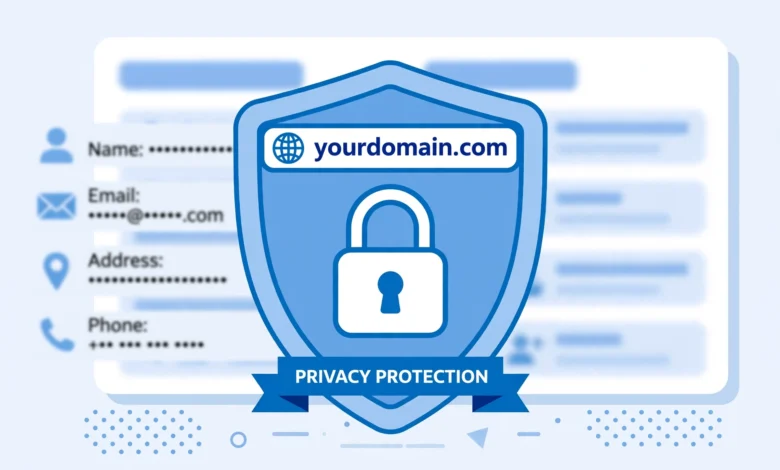
Domain privacy protection, also called WHOIS privacy, fixes this. It replaces your personal details in the public WHOIS record with the registrar’s proxy information, so the database shows the registrar’s contact details instead of yours. You still legally own the domain, nothing about your ownership changes, but strangers cannot see where you live or what your personal email is.
So do you need it? For the vast majority of personal sites, blogs, and small business websites, the answer is yes. This guide explains what WHOIS exposes, what privacy protection hides, which registrars include it for free, and the few cases where you might skip it.
What Is WHOIS and What Does It Expose?
WHOIS is a public directory of domain registrations, run as part of the internet’s domain name system. When a domain is registered, the registrar submits the registrant’s contact details to the WHOIS database, and that data has historically been visible to anyone who queries it. A quick WHOIS lookup on an unprotected domain can reveal:
- Your full name
- Your street address, city, and postal code
- Your phone number
- Your email address
- When you registered the domain and when it expires
Back in the early days of the web this was considered a feature, a way to contact domain owners about technical problems. In practice, it became a goldmine for spammers, scammers, and aggressive salespeople. Anyone who has registered a domain without privacy knows the pattern: within days, the inbox fills with “SEO services” spam and fake renewal invoices.
One important note: since GDPR took effect, registries have redacted some personal data for EU-based registrants by default. But this protection is inconsistent across domain extensions and regions, and for most .com domains registered outside the EU, your details are still fully public unless you enable privacy protection. Do not assume you are covered. If you want a sense of what transparent data handling looks like, WordPress.org publishes a clear privacy policy explaining exactly what data it collects and why, which is the standard every registrar should meet.
How Domain Privacy Protection Works
When you enable privacy protection, your registrar substitutes its own proxy contact details into the public WHOIS record. Someone looking up your domain sees something like “WhoisGuard Protected” with the registrar’s address and a forwarding email instead of your real information. Legitimate mail sent to the proxy address, like a legal notice or a genuine purchase inquiry, is forwarded to your real email by the registrar.
Crucially, privacy protection does not change ownership. You remain the legal registrant in the registrar’s private records, which is what matters for renewals, transfers, and disputes. It only changes what the public sees. If you ever need to prove ownership, for example during a domain transfer to a new registrar, you may need to briefly disable privacy so the approval emails reach you, then turn it back on after.
Which Registrars Include Privacy Protection for Free?
This is where registrar choice matters, because pricing varies wildly:
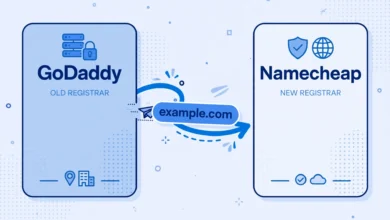
- Namecheap: free forever with every domain, under the name WhoisGuard. This is one of the biggest reasons people move domains there, and our GoDaddy to Namecheap transfer guide walks through the move step by step.
- Cloudflare Registrar: free privacy included, and domains sold at wholesale cost with no markup.
- Porkbun: free WHOIS privacy on all domains.
- GoDaddy: paid add-on, historically one of the pricier ones. You pay every year for something competitors give away.
- Hostinger: free privacy on most domain registrations.
For a side-by-side look at how Namecheap compares with other budget providers on domains and hosting together, see our Hostinger vs Namecheap comparison.
The math is simple. If your registrar charges ten dollars a year for privacy and a competitor includes it free with cheaper renewals, switching registrars pays for itself quickly. Privacy protection should never be a recurring line item on your bill in 2026.
Do You Actually Need It? Honest Answer by Situation
You almost certainly need it if: you registered the domain with your home address, you run a personal blog or portfolio, you are a freelancer whose site lists a contact page, or you simply do not want spam and scam calls. That covers most readers of this site.
You might skip it if: the domain is registered to a business with a public office address that is already on your website and business cards. If your address is public anyway, privacy adds little. Some businesses also prefer transparent WHOIS for trust reasons, customers can verify who is behind the site.
Special cases: for certain country-code domains, privacy is not available at all because the registry requires real details. Trademark owners sometimes keep details public deliberately to make ownership obvious in disputes. And if you are buying a domain as an investment to resell, some buyers prefer seeing the real owner, though escrow services solve this more safely.
Privacy Protection vs VPNs and Other Confusions
Beginners sometimes mix up domain privacy with other privacy tools, so let us clear this up. Domain privacy hides your registration details from WHOIS. It does not hide your browsing, encrypt your traffic, or protect your website visitors. That is what SSL certificates and VPNs do, different tools for different jobs.
Similarly, privacy protection is not the same as private domain registration services that hold the domain in their own name. With standard WHOIS privacy from a reputable registrar, you remain the legal owner. Be wary of any service that registers the domain in its own name “for your privacy”, that can make it very hard to prove ownership later.
How to Enable Domain Privacy Protection
At most registrars it takes under a minute:
- Log in to your registrar account and open your domain list.
- Select the domain and find the privacy or WHOIS settings.
- Toggle privacy protection on. At Namecheap it is called WhoisGuard; at others it may be labeled “WHOIS privacy” or “private registration”.
- Run a WHOIS lookup on your domain to confirm your personal details are masked.
You can check the result with any public WHOIS lookup tool. If you still see your own name and address, the change may need a few hours to propagate, or privacy may not be available for your specific domain extension.
If your current registrar charges for this, consider it a sign to shop around. Moving your domain is straightforward, and once it lands somewhere like Namecheap, privacy is free from day one. After the domain side is sorted and you are ready to build, our cPanel WordPress install guide picks up the next step.
The short version: domain privacy protection costs nothing at the right registrar and saves you from spam, scams, and exposing your home address to the entire internet. There is almost no reason not to have it enabled.
Frequently Asked Questions
Is domain privacy protection free?
It depends on the registrar. Namecheap, Cloudflare, Porkbun, and Hostinger include it free. GoDaddy and a few others charge for it as a yearly add-on. If you are paying for privacy, switching registrars usually saves money overall.
Does domain privacy protection affect SEO?
No. Search engines do not use WHOIS data as a ranking factor, and enabling privacy has no effect on how your site ranks. This is a persistent myth with no evidence behind it.
Can I still transfer a domain with privacy protection enabled?
Yes, but you will usually need to disable it temporarily during the transfer so the approval emails reach your real address. Our domain transfer guide covers this step. Re-enable privacy as soon as the transfer completes.
Does privacy protection hide my identity from law enforcement?
No. Privacy protection only masks your details from the public WHOIS database. The registrar still holds your real information and will disclose it under a valid court order or legal request. It protects you from spammers and the general public, not from the law.
What is the difference between WHOIS privacy and domain proxy services?
They are essentially the same thing: the registrar shows proxy contact details in public WHOIS instead of yours. Just make sure the domain stays registered in your name in the registrar’s private records, which is the standard setup, rather than in the proxy service’s name.
Do I need privacy protection for every domain I own?
For personal domains, yes, enable it on all of them. For business domains tied to a public office address, it is optional. Most registrars let you toggle it per domain, so you can mix and match.