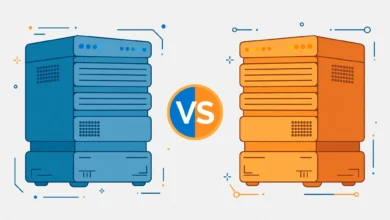
Hostinger and Bluehost are the two names every beginner hears first when shopping for WordPress hosting. Both promise fast speeds, one-click WordPress installs, and beginner-friendly pricing. But they are very different companies once you look past the marketing, and picking the wrong one can cost you real money at renewal time. In this Hostinger vs Bluehost comparison for 2026, we compare pricing, performance, ease of use, and support – and give you a clear verdict on which host fits which kind of user.
Hostinger vs Bluehost: Quick Comparison
Short on time? Here is the short version. Hostinger wins on price and renewal fairness – its long-term costs stay reasonable and the dashboard is modern and fast. Bluehost wins on WordPress integration depth and phone support, and it is officially recommended by WordPress.org, which matters to many beginners. For most new WordPress sites in 2026, Hostinger is the better value. Bluehost makes sense if you specifically want deep WordPress.org endorsement and US-based phone support.
Pricing and Renewal Rates
This is where the two hosts differ most. Hostinger’s entry shared plans start very cheap for the first term, and – importantly – its renewal prices, while higher, stay within a reasonable range compared to the industry. Bluehost also advertises low introductory prices, but its renewals jump sharply, often to two or three times the signup price. Over a three-year horizon, Bluehost usually ends up noticeably more expensive for a comparable shared plan.
Watch the checkout page on both hosts. Add-ons like domain privacy, backups, and security tools are often pre-selected. Uncheck what you do not need. If you want the full breakdown of how these pricing games work, our Hostinger vs Namecheap comparison shows the same patterns from another angle.
Performance and Uptime
Both hosts use modern infrastructure on their shared plans – SSD or NVMe storage, LiteSpeed or equivalent caching, and data centers in multiple regions. In real-world testing across the industry, Hostinger consistently posts strong response times for the price, especially on its data centers in Europe and Asia. Bluehost performs solidly for US audiences but has a reputation for slower performance on its cheapest tier when sites grow.
For a brand-new WordPress blog, either host is fast enough. The difference shows up at scale: Hostinger’s higher tiers and cloud plans give you more headroom before you need to upgrade, while Bluehost tends to push growing sites toward its more expensive managed WordPress plans sooner. If you are still deciding what type of hosting you need at all, read our shared vs cloud hosting guide first.
Ease of Use and Dashboard
Hostinger uses its own custom control panel called hPanel, which is clean, fast, and genuinely easier for beginners than the traditional cPanel. WordPress installation takes a couple of clicks, and the onboarding wizard sets up the basics for you. Bluehost uses a customized cPanel blended with its own account interface. It works, but it feels busier, and the upsell prompts during setup are more aggressive.
One point for Bluehost: because it is officially recommended by WordPress.org, its onboarding is deeply WordPress-flavored – staging, marketplace themes, and guided setup are all front and center. Beginners who want hand-holding specifically around WordPress may prefer that.
Customer Support
Hostinger offers 24/7 live chat support with generally fast response times, though complex issues can take a while to escalate. There is no phone support. Bluehost offers both live chat and 24/7 phone support, which some beginners find reassuring. In practice, the quality of both is average for the budget hosting segment – fine for common issues, hit or miss for tricky ones.
WordPress-Specific Features
Both hosts offer one-click WordPress installs, free SSL, and automatic updates, so the basics are covered either way. Hostinger adds its own WordPress acceleration stack on higher plans, including object caching and on-demand backups that beginners otherwise pay plugins for. Bluehost counters with a WordPress marketplace built into the dashboard, staging sites on mid-tier plans, and its WonderSuite onboarding that walks new users through theme and plugin selection step by step.
Neither host locks you into anything WordPress-specific. Your site, database, and files remain standard WordPress, so you can leave whenever you want. That portability is worth remembering before you commit to a multi-year term for a discount.
Money-Back Guarantees and Migration
Hostinger offers a 30-day money-back guarantee on its shared plans, which is genuinely useful: sign up, build your site, run it for three weeks, and cancel if you are unhappy. Bluehost also offers a 30-day window, but refunds after that point are prorated rather than full, and domain registration fees are never refundable on either host – that is industry standard, not a trick.
If you outgrow your first host, migration is straightforward. WordPress migration plugins move your entire site – files, database, and settings – in under an hour for a typical blog. Hostinger provides free assisted migration on qualifying plans, which removes the last bit of friction if you ever decide to switch.
Which Should You Choose?
Choose Hostinger if you want the best value: lower long-term prices, a modern dashboard, and strong performance per dollar. It is the pick for most new WordPress blogs, portfolios, and small business sites in 2026.
Choose Bluehost if the WordPress.org recommendation matters to you, you want phone support, or your audience is mainly in the US and you like its WordPress-centric onboarding. Just go in with your eyes open about renewal pricing – set a calendar reminder before the first term ends.
Still comparing options? Our honest Namecheap hosting review covers a third budget option that some beginners prefer. And if your site is already growing, check when it makes sense to move beyond shared hosting entirely.
Frequently Asked Questions
Is Hostinger better than Bluehost for WordPress beginners?
For most beginners, yes. Hostinger is cheaper over the long term, its hPanel dashboard is easier to learn than cPanel, and performance per dollar is strong. Bluehost is only the better pick if you specifically want WordPress.org’s official recommendation and phone support.
Why is Bluehost renewal so expensive?
Like many big hosts, Bluehost sells the first term at a deep discount and renews at the regular rate, which can be two to three times higher. Always check the renewal price on the checkout page before you buy, not just the advertised signup price.
Can I migrate from Bluehost to Hostinger later?
Yes. WordPress sites can be migrated between any hosts with a migration plugin, and Hostinger offers free migration assistance on some plans. Many users start on one host and move once they understand their needs better.
Which host has better uptime, Hostinger or Bluehost?
Both advertise 99.9 percent uptime and generally deliver it on shared plans. Independent monitoring usually shows Hostinger slightly ahead on response times, particularly outside the US, but for a new site the difference is small.
Last updated: October 2026.