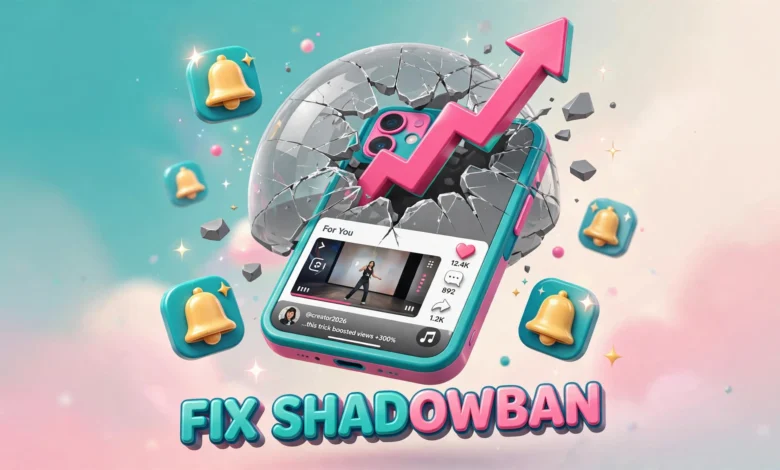
Your TikTok views fell off a cliff overnight. Yesterday your videos pulled 10,000 views. Today they barely break 200, and your follower growth has frozen. You open the app, check your latest uploads, and everything looks normal. No warning, no strike notice, nothing. If you searched for answers, someone in a comment section has already given you the diagnosis: you have been shadowbanned.
Here is the honest starting point. TikTok has never confirmed that shadowbans exist. There is no official documentation, no appeal button labeled for shadowbans, and no support agent who will tell you your account is secretly restricted. What creators call a shadowban is usually one of three things: a Community Guidelines violation TikTok acted on quietly, a distribution dip while the algorithm retests your content with new audiences, or simply weaker videos meeting a more competitive feed.
That distinction matters because each cause needs a different fix. This guide walks through how to diagnose what is actually happening to your account, the recovery steps that genuinely help in 2026, how long recovery usually takes, and how to avoid the same trap in the future. No hacks, no secret reset button, just the practical process.
What Is a TikTok Shadowban, and What Is It Not?
As creators use the term, a shadowban means TikTok silently limits how widely your videos are distributed without telling you. The classic signs are a sudden drop in For You page traffic, videos stuck at a few hundred views when you normally get thousands, and regular viewers saying your posts no longer appear in their feeds.
Here is what it is not. It is not an official status that TikTok tracks or admits. Nobody at TikTok will confirm one. Most sudden drops have boring explanations: your last few videos had weaker hooks, your niche got more crowded, or the algorithm shifted your content to a colder test audience. Before you treat your account like it is restricted, gather evidence. That is what the next section is for.
How to Tell If You Are Actually Shadowbanned
Run these checks in order before changing anything. Acting on a wrong diagnosis wastes weeks of effort.
1. Check Your Account Status in Settings
TikTok includes an account status feature. Open the app, go to your profile, tap the menu icon, then choose Settings and privacy, then Account status. This page shows whether your account is in good standing and whether any videos were removed or had their visibility limited. If a video broke the Community Guidelines, it usually appears here, sometimes with an option to appeal. If this page is clean, a quiet penalty is less likely than a plain performance dip.
2. Read Your Analytics Like a Detective
Switch to a Pro or Business account if you have not already, because personal accounts show almost no useful data. Open Creator tools, then Analytics, and look at where your traffic comes from. A real restriction typically shows a sharp fall in For You page reach while profile visits and follower views stay roughly steady. If every traffic source fell together, including views from your own followers, the problem is more likely content quality or posting time than a ban. Compare your last five videos against your previous five. One weak video is noise. Five in a row with the same pattern is a signal.
3. Post a Diagnostic Test Video
Film something simple with a strong hook in the first two seconds, on a topic your audience has responded to before. Post it when your followers are most active. If it also stalls at a few hundred views with almost no For You traffic, you likely have a restriction or a flagged account. If it performs normally, your earlier videos were probably just weak, and you can relax. Keep expectations realistic. Even healthy accounts have videos that flop.
Why Do TikTok Views Suddenly Collapse?
Diagnosis gets easier when you know the usual suspects behind a sudden drop.
- A Community Guidelines violation on a recent video. Even a removed video from weeks ago can matter. Check the account status page and your notification inbox for warnings you may have dismissed.
- Reposted or duplicated content. Uploading the same clip repeatedly, or posting other creators’ content with only minor edits, gets flagged as unoriginal. TikTok suppresses the distribution of unoriginal content without always notifying you.
- Spammy engagement patterns. Aggressive follow and unfollow cycles, liking hundreds of videos in an hour, or pasting the same comment across dozens of posts can trigger temporary limits.
- Sensitive or heavily reviewed topics. Content around health claims, giveaways, or borderline mature themes gets reviewed more aggressively, and distribution can dip while a video sits in review.
- A plain algorithm reset. TikTok constantly tests your content with new audience segments. Sometimes a batch of tests flops and the algorithm pulls back for a few days. This looks exactly like a shadowban but resolves on its own.
How to Fix a TikTok Shadowban: Steps That Actually Work
If your checks point to a real restriction, work through these steps in order. They are not magic, but they form the recovery process that has worked for the most creators.
1. Delete or Appeal the Flagged Content
Go back to your account status page. If any video shows a violation, either appeal it if you believe the removal was wrong, or delete it if it clearly broke the rules. Appeals sometimes succeed, especially in borderline cases, and a successful appeal can restore distribution faster. Do not leave a struck video sitting on your profile while you hope the problem fixes itself.
2. Clean Up Every Spammy Behavior
Stop all follow and unfollow activity. Stop using third-party apps or bots that promise growth. Remove hashtags that are irrelevant to your content just because they are trending. Delete duplicate uploads of the same clip. Think of this as showing the platform that your account behaves like a normal human account again. For a refresher on growth tactics that stay within the rules, see our guide on how to grow on TikTok in 2026.
3. The Cooldown Debate: Post Less or Post Normally?
You will find two camps on this, and honesty requires presenting both. One camp says take a short break of 48 to 72 hours, then return with one strong video. The theory is that a pause lets any temporary restriction expire while you reset creatively. The other camp says keep posting on your normal schedule, because TikTok only distributes content, and pausing gives the algorithm fewer chances to rediscover you.
In practice, both approaches can work, because most dips resolve on their own regardless. The middle path is the safest: do not panic-post five videos a day trying to force a comeback, and do not vanish for a month either. Keep your normal cadence or slow down slightly, focus on quality, and give it 7 to 14 days before judging the results. If you repurpose content across platforms during the slow period, our guide to repurposing TikTok videos for Reels and Shorts shows how to keep growing elsewhere without spamming one account.
4. Use Analytics to Confirm Recovery
A Pro or Business account shows traffic sources, audience activity times, and follower growth in detail. This data tells you whether For You traffic is climbing back toward your old baseline, which is the real sign that a restriction has lifted. Guessing based on vibes leads creators to declare themselves shadowbanned for months. Let the numbers decide. TikTok documents its rules in the official Community Guidelines and the TikTok Support Center, both worth bookmarking.
How Long Does a TikTok Shadowban Last?
Nobody can give you an exact number because TikTok does not publish one, but creator reports cluster around two to four weeks for most cases. Minor restrictions tied to a single flagged video often clear within days of deleting the video or winning an appeal. Deeper restrictions, the kind that follow repeated violations, can last a month or longer.
Set a review date two weeks out. If your analytics show For You traffic climbing back toward your old baseline, you are recovering. If nothing has moved after a full month of clean posting, consider that the problem may be your content rather than a restriction. That is hard to hear, but it is the most common real answer. If you are rethinking your platform strategy entirely, our comparison of YouTube Shorts vs Instagram Reels vs TikTok can help you decide where your effort pays off best.
How to Prevent the Next Shadowban
Recovery is slower than prevention. Build these habits into your routine and most restrictions never happen.
- Read the Community Guidelines once, properly. Most creators never do. A single careful read prevents the violations behind most restrictions.
- Keep your content original. Film your own clips, use your own voice, and add real value even when you join trends. Unoriginal content is the quietest killer of reach on TikTok in 2026.
- Engage like a person, not a script. Comment thoughtfully, reply in your own comments section, and never automate engagement. Genuine interaction also grows accounts fastest.
- Handle borderline topics carefully. If you cover health, money, or news, cite sources and avoid absolute claims. Borderline content gets reviewed hardest and restricted fastest.
Frequently Asked Questions
Does TikTok admit that shadowbans exist?
No. TikTok has never confirmed an official shadowban status. The sudden distribution drops creators describe are real, but they usually trace back to guideline enforcement, unoriginal content flags, or algorithm testing rather than a secret ban label.
Will deleting and reinstalling the app remove a shadowban?
No. Reinstalling changes nothing on TikTok’s servers, where any restriction actually lives. Skip the reinstall ritual and work through the recovery steps above instead. Creating a brand new account to dodge a restriction can also look suspicious, so fix the existing account first.
Should I make a new account if the shadowban does not lift?
Only as a last resort, after a month or more of clean posting with no recovery. A new account starts from zero reach and zero followers, so most creators recover faster by fixing the existing one. If you do start over, avoid reuploading the same content that got flagged in the first place.
Can trending sounds or hashtags cause a shadowban?
Not by themselves. TikTok encourages trending sounds. Problems only appear when hashtags are irrelevant to your content or when you stack dozens of tags on every video, which reads as spam to the review systems. Use a handful of relevant tags and move on.
Last updated: October 2026.