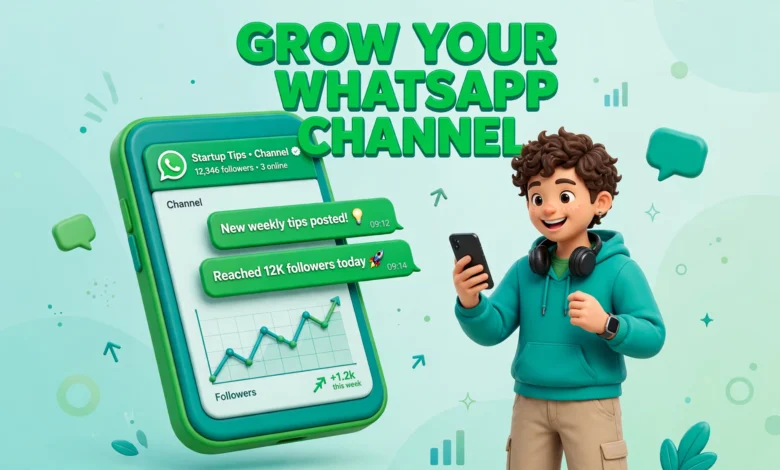
Most creators fight an algorithm all day. They post a reel, watch it reach a tiny slice of their followers, and start over the next day. A WhatsApp Channel works differently. An update lands where followers actually look, right next to the chats they check all day.
This guide explains how to grow a WhatsApp channel as a creator, without hype. You will learn what channels are, how to set one up, what to post, how to reach your first 100 followers, and how to keep growing with no discovery feed to help you.
What Is a WhatsApp Channel?
A WhatsApp Channel is a one way broadcast space inside WhatsApp. You post updates and followers read them, react with emoji, and vote in polls, but they cannot reply publicly. Think of it as a newsletter inside the app people already check dozens of times a day.
Channels sit in the Updates tab, separate from private chats. Followers do not see your phone number, and you do not see theirs. A follower joins because they want your updates.
Why Creators Are Using Channels in 2026
The biggest reason is open rates. WhatsApp messages routinely see open rates above 90 percent, while Instagram and TikTok posts often reach only a small fraction of followers. A channel update appears in an app people open for family and friends, so it gets seen.
The second reason is control. There is no algorithm feed deciding who sees your post. Every follower who opens the Updates tab can see your latest update. The third reason is speed: an update takes a minute to write and send, with no editing and no thumbnail.
How to Set Up Your Channel the Right Way
Setup takes about ten minutes, but these choices shape whether strangers decide to follow. Get the basics right, then pin a short welcome update at the top.
Pick a Short Keyword Rich Name
Keep the name to two or three words that say exactly what you do. A name like Daily Urdu Poetry or Budget Travel Pakistan tells a stranger in one second whether your channel is for them. Avoid long names, symbols, and wordplay nobody would type into search. Put your main keyword in the name, because WhatsApp search is one of the few discovery tools you have.
Use a Clear Icon and One Line Description
Use the same photo or logo you use on Instagram, TikTok, or YouTube. Recognition builds trust, and a stranger who has seen your face or logo before is far more likely to follow. Avoid busy images with small text, because the icon appears tiny in the Updates tab. Your description should say what followers get and how often.
What Should You Post on a Channel?
Channels reward short, useful, and personal updates. People read them between chats, in a few seconds, so every post should deliver its value fast.
Short Text Updates Under 200 Characters
Short text posts are the backbone of a channel. One tip, one idea, one link, or one honest thought is enough. Keep most updates under 200 characters so the whole message shows.
Photos With a One Line Caption
Photos work well when the image carries the message and the caption adds one line of context. A behind the scenes photo, a finished project, a chart, or a quote card can all work. Avoid a long paragraph underneath.
Polls That Invite Reactions
Polls are the best engagement tool channels offer, because followers cannot comment publicly. Ask which topic they want next or which of two ideas they prefer. Poll results also teach you what your audience wants.
Voice Notes and Exclusive Content
Voice notes feel personal in a way text never does. A sixty second voice note about what you are working on can build a stronger connection than a polished video. Behind the scenes content works the same way. Give followers something they cannot get anywhere else, such as a video link an hour early.
How to Get Your First 100 Followers
The first 100 followers are the hardest because channels have almost no built in discovery. Every follower comes from promotion you do yourself, so place the invite link everywhere.
- Put the invite link in every bio: Instagram, TikTok, YouTube, Facebook, and your website. Add a call to action, such as join my WhatsApp channel for daily tips.
- Share the link once in your WhatsApp Status and once as a message to close contacts who would genuinely care. One polite message is enough.
- Mention the channel at the end of your videos and reels. A line such as the full tip is in my WhatsApp channel gives a clear reason to join.
- Cross promote with creators in your niche. A shoutout swap with a creator of similar size can bring dozens of followers.
- Print a QR code on business cards, event posters, or class handouts. People scan QR codes far more often than they type a link.
Expect the first 100 to take a few weeks. That is normal. A channel with 100 followers who chose to join is worth more than an account with 1,000 followers who never see your posts.
How the Explore Directory and Search Work
WhatsApp has an Explore directory for browsing channels by category and searching by name. This is the closest thing channels have to a discovery feed, but it is limited. There is no public feed of trending posts, and you cannot go viral the way a reel can.
Search is the main way strangers find you. That is why your channel name, description, and category matter so much. Use the exact words your audience would type, such as cooking, cricket, or freelancing, instead of a brand name nobody knows yet. Keep posting consistently, because active channels show up better in search than silent ones. Be patient with new channels: many creators report slow search visibility for months. That is not a sign that your channel is broken. Keep posting and promoting the link yourself.
New Features Coming to Channels in 2026
WhatsApp is slowly adding creator tools to channels, and the rollout is gradual, so not every feature will reach every country at the same time. Three features matter most: paid subscriptions, promoted channels, and ads in Status, which bring more attention to the Updates tab where channels live.
The Honest Limits of WhatsApp Channels
Channels are useful, but they are not a magic growth tool. Understand the limits before investing heavily.
- There is no public discovery feed. Nobody scrolls channels the way they scroll reels or TikTok, so strangers rarely find you by accident.
- Growth depends mostly on your own promotion. Your Instagram, YouTube, or website finds new people, and the channel captures the ones who want to stay close.
- Analytics are basic. You can see follower counts and rough views, but little detail about who your audience is.
- Followers cannot reply publicly. Reactions and poll votes are the only feedback, so you will not get the comment conversations that build community.
- WhatsApp controls the rules. Features roll out slowly, limits can change, and your reach depends on a platform you do not own, so a channel should support your email list, not replace it. Our guide to build an email list as a creator in 2026 explains why.
Think of a channel as a retention tool, not a growth tool. It keeps your existing audience close. Growth still comes from the platforms where strangers can discover you, so pair the channel with a clear posting system. Our guide to content pillars for creators helps you plan it.
A Simple Weekly Posting Rhythm
You do not need to post every day. Three to five updates a week is enough to stay visible. Here is a rhythm you can copy.
- Monday: one short tip or lesson your audience can use today
- Wednesday: one behind the scenes photo or voice note
- Friday: one poll asking what followers want next, or a link to your newest post
- Sunday: one exclusive update for channel followers, such as early access or a free resource
Keep each update short and send it when your audience is awake, usually late morning or early evening. Avoid posting late at night, because an update that arrives while people sleep is easy to skip.
Your 30 Day Starter Plan
Follow this plan for one month and you will have a working channel with real followers and real data about your audience.
- Days 1 to 7: create the channel with a keyword rich name, a clear icon, and a one line description. Post a pinned welcome update and three or four starter updates, then add the invite link to every bio and share it once on WhatsApp Status.
- Days 8 to 14: mention the channel at the end of every video or reel you publish. Send one polite message to close contacts, and ask one creator in your niche for a shoutout swap. Aim for your first 25 followers by the end of week two. Our guide to grow on Threads in 2026 shows how cross promotion can bring in new people.
- Days 15 to 21: publish one poll, one voice note, one photo update, and one short text tip, then compare which format gets the most reactions. Post your newest content link to the channel first.
- Days 22 to 30: settle into your weekly rhythm of three to five updates. Write the next two weeks of updates in advance, check your follower count and reactions, and plan more of the topics that got the most response. A steady channel with 100 engaged followers at day 30 is a strong start. For a longer growth system, our guide to grow on Instagram in 30 days covers a full month of daily growth actions.
Why WhatsApp Channels Matter So Much in Pakistan
For creators in Pakistan, WhatsApp is not just another app. It is the default messaging app for almost everyone, from students to shopkeepers to professionals. Your audience is already there, checking it all day. A student audience that ignores email will open a WhatsApp update, and a local business audience that never joins a newsletter will follow a channel with one tap.
A WhatsApp Channel will not make you famous on its own, and it will not grow while you ignore it. What it will do is give your most loyal followers a direct line to you, with open rates other platforms cannot match. Set it up properly, post three to five short updates a week, promote the link everywhere, and give it thirty days.
Frequently Asked Questions
Is a WhatsApp Channel free to create?
Yes, creating a WhatsApp Channel is completely free. You only need the WhatsApp app, and there is no charge to post updates or to have followers. Paid features such as promoted channels are optional.
Can followers see my phone number on a channel?
No, your phone number stays private. Followers see only your channel name, icon, and description, and you cannot see their phone numbers either. This privacy is one of the main reasons channels are safer than WhatsApp groups. Learn more at WhatsApp.
How many times should I post on my channel each week?
Three to five updates a week is a good rhythm for most creators. One update a week is too little to stay visible, and daily updates can feel like spam unless your audience expects them. Start with three a week and add more only if your audience asks for it.
Can I earn money from a WhatsApp Channel?
Yes, but slowly. Paid channel subscriptions let loyal followers pay for exclusive content, and a channel can also drive sales by sending followers to your products or affiliate links. Treat it as a way to keep your audience close and send them where you actually earn.
Last updated: November 2026.