The honest answer is boring in the best way: a modern phone and a cheap mount will pass most projects, and buying expensive gear before your first approved clip is the most common waste of money in this kind of work. This guide explains what platforms actually ask for, what a starter kit and a pro rig look like, which specs matter, and what not to buy until you have earned something.
One warning first, because it saves more money than any gear tip: gear does not guarantee gigs. Platforms approve people, not cameras. You can own a perfect rig and still earn nothing if your framing is wrong, your lighting is poor, or the project simply has no hours this month. Read our guide on how to get paid to record videos for AI training for the pay and approval reality before you spend anything. Start cheap, get one project approved, and let your earnings decide your next purchase.
What Gear Do AI Data Platforms Actually Ask For?
Almost every video collection project lists the same three things: a camera, a mount that keeps it at head or chest height, and enough battery and storage to record a full task without stopping. The camera can be a phone, an action camera, or smart glasses, depending on the project. The mount matters more than the camera brand, because the whole point of egocentric footage is a stable first person view.
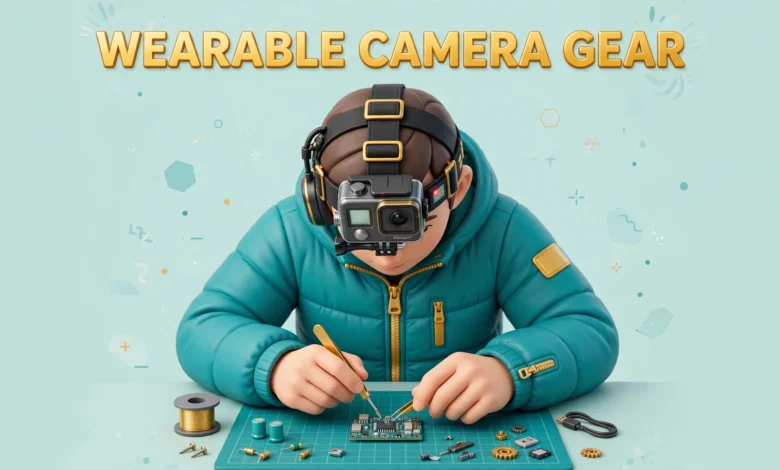
Head mounts give the truest first person view. The camera sits near your eyes and sees what you see, including your hands reaching for objects. Their weakness is movement: every head turn becomes a camera turn, so fast or jerky head movement makes footage hard to use. Chest mounts are steadier and more comfortable for long tasks, because your torso moves less than your head. Their weakness is framing: hands can drift out of the lower frame when you work at a counter. Many experienced contributors own both and choose per task.
Smart glasses are a third option. Glasses with built in cameras give the most natural first person view of all, since the camera sits exactly where your eyes are and your hands stay completely free. Some projects supply them, and a few accept footage from your own pair. But they are expensive, their battery life is often short, and most projects still accept a phone mount. Never buy smart glasses just to qualify unless the project confirms in writing that they are required and whether the cost is reimbursed.
What Does a Budget Starter Kit Look Like?
A starter kit should cost little, because its job is to prove you can do the work, not to impress anyone. You probably already own the most expensive part: a phone made in the last few years with a decent camera and enough free storage. Add a head strap mount and a chest mount, both available cheaply online, and test both before you record anything for a client.
- A phone head strap mount: holds the phone at forehead level and keeps your hands free. Check that the strap is adjustable and does not slip when you look down at a counter.
- A phone chest mount: a harness that holds the phone flat against your chest. Better for long sessions and steadier footage.
- A power bank and a charging cable: keeps long recordings going and avoids the classic failure of a phone dying halfway through a task.
- Good room lighting you already own: open curtains and switch on ceiling lights. Lighting is free and it improves footage more than a camera upgrade does.
What Does a Pro Rig Add, and When Is It Worth It?
A pro rig is for contributors who already have steady approved hours and want to record longer, cleaner, and more comfortably. Buy in this sequence, and only move to the next step when the previous one is genuinely limiting your work.
- An action camera with strong stabilization: smaller and lighter than a phone on your head, better stabilization, and easier to wear for hours. Worth it when phone weight or shakiness is causing rejections.
- A second battery and a fast memory card: action cameras and phones both run out of power and storage during long tasks, and swapping a battery beats re-recording a task.
- A comfortable, well padded head strap made for your camera: cheap straps dig in after an hour, and discomfort leads to rushed, sloppy recordings.
- A dedicated chest harness for the action camera: lighter and more stable than a phone harness, useful for full day collection sessions.
- Smart glasses, only if a paying project requires them: treat this as a project expense, not a hobby purchase, and confirm the reimbursement or pay rate first.
Which Specs Actually Matter for AI Training Footage?
Follow your project brief over any general advice here. But four specs decide most approvals and rejections, and they are worth understanding before you shop.
Stabilization comes first. AI models learn from the movement of hands and objects, and violent shaking makes that learning impossible. Electronic stabilization on a modern phone or action camera is usually enough. What ruins footage is jerky head movement, running while recording, or a loose mount bouncing with every step. Move slowly, turn your head smoothly, and tighten the mount before every clip.
Battery life comes second. A camera that dies after forty minutes cannot record a one hour task in a single continuous clip, and projects often reject clips stitched together from fragments. Check real battery life at your recording resolution, not the marketing number, and carry a spare battery or a power bank for anything longer than an hour.
Storage comes third. An hour of high resolution video can eat tens of gigabytes, and a full memory card stops a recording just as surely as a dead battery. Clear space before every session, use a fast memory card that matches your camera’s requirements, and upload footage promptly so the card is free for the next task.
Framing is the spec no box lists. Your hands must stay in shot for most of the task, the work surface must be visible, and the camera angle must match the task. A head mount angled too high films the wall instead of your hands. Test every new mount position with a short clip, and re-check it when you switch tasks, because cooking, repair, and packing all sit at different heights.
What Should You NOT Buy Before Your First Paid Gig?
- Smart glasses: expensive, short battery life, and accepted by only some projects. Wait until a paying project requires them.
- A flagship action camera: a mid range action camera or your existing phone records perfectly usable footage for qualification tests.
- A gimbal or stabilizer rig: designed for handheld filming, not for body mounted egocentric recording.
- Studio lighting kits: room lights and daylight cover most household and workplace tasks.
- Any “AI data collection starter kit” sold by a third party: these bundles mark up cheap mounts and add gear you do not need. Buy mounts individually.
- A second phone bought only for this work: use the phone you already own until your approved hours justify a dedicated device.
The pattern is simple. Anything that costs more than a few days of expected earnings is a bad early purchase. Remember that pay per approved hour is modest and projects are irregular, as explained in our guide to egocentric data collection jobs. If a purchase only pays for itself after months of steady work, and steady work is not guaranteed, it is a hobby purchase, not a business investment.
What Are the Privacy and Consent Rules for Wearable Cameras?
Wearable cameras raise privacy issues that a tripod camera does not, because the camera follows you everywhere and records whatever you look at. Before every session, prepare the room: remove documents and anything showing account numbers from counters, turn screens away from the camera or switch them off, and lock away medication and valuables. Reviewers and AI trainers will see this footage, so treat every recording as if a stranger will watch it.
Keep other people out of frame, especially children and family members who have not consented. Most projects forbid filming identifiable people without written consent, and footage with unexpected faces is usually rejected or deleted. If someone walks in mid task, pause and start a fresh clip once they leave, rather than trying to edit them out, since reviewers need the original, unaltered video.
Workplace recording needs explicit permission. Never wear a recording camera at work without your manager’s clear approval, and check whether your employer bans cameras on site. Warehouses, kitchens, clinics, and offices often have safety or confidentiality rules about filming, and violating them can cost you your job. Get permission in writing where possible and stick to approved areas and tasks.
What Are the Honest Caveats Before You Invest?
First, some projects supply the gear themselves. If a project sends you a camera, a mount, or smart glasses, buying your own version is wasted money. Always read the project brief and ask what is supplied before you buy anything. Second, gear wears out in this work: mounts stretch, straps fray, and batteries degrade, so budget for small replacements rather than one big purchase. Third, the work itself is feast or famine. A project may offer plenty of hours one month and nothing the next, and no camera changes that.
Finally, the scam warning applies to gear too. Legitimate platforms never charge applicants, and that includes gear fees. If a recruiter asks you to pay for a camera kit, a mount bundle, or a training package to unlock a project, walk away. Real platforms make money from their AI clients, not from contributors. For a sense of what real project briefs look like, browse the current work listed at OpenTrain. You can compare legitimate options in our guide to the best platforms for AI training jobs.
How Should You Start This Week?
- Pick one platform and one simple project, and read its gear requirements in full before buying anything.
- Assemble the budget starter kit: your existing phone plus a head strap and a chest mount.
- Record a five minute test clip, check hands, stability, and lighting on a bigger screen, and fix the mount position.
- Upload the test clip and wait for reviewer feedback before recording hours of footage.
- Upgrade only when a specific limit costs you approvals: stabilization first, then battery and storage, then comfort.
Frequently Asked Questions
Do I need an action camera to collect wearable camera data for AI?
No. Most projects accept a modern smartphone on a head strap or chest mount. An action camera is a comfort and stabilization upgrade, worth buying only after you have approved hours and a specific reason, like phone weight or shakiness causing rejections.
Is a head mount or a chest mount better for AI data collection?
It depends on the task. Head mounts give the truest first person view and keep hands in frame for cooking and repair work. Chest mounts are steadier and more comfortable for long packing, stocking, or cleaning sessions. Experienced contributors own both and choose per task.
Should I buy smart glasses before applying for AI data jobs?
No. Smart glasses are expensive, their battery life is often short, and most projects accept a phone mount. Buy them only when a paying project confirms in writing that they are required, and check whether the cost is reimbursed first.
Do AI data platforms supply gear to contributors?
Sometimes. Some projects supply cameras, mounts, or smart glasses, while others expect you to use your own phone and a cheap mount. Always read the project brief and ask the platform what is supplied before buying anything, and never pay a fee for a kit, since legitimate platforms never charge applicants.
Last updated: October 2026.