


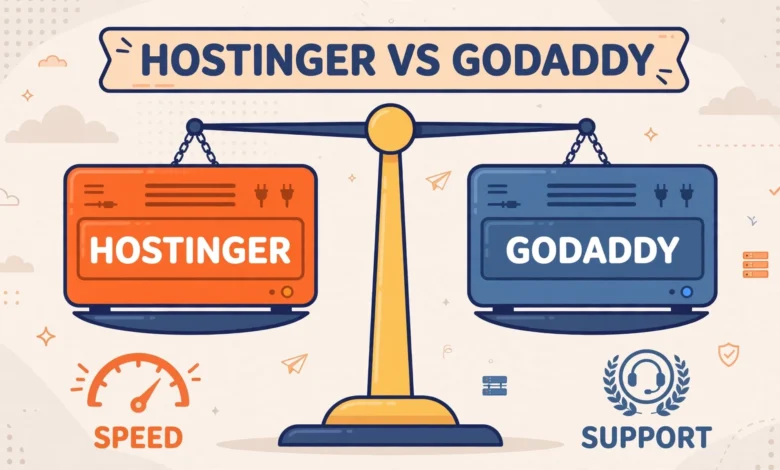
If you are starting a WordPress site, Hostinger and GoDaddy are two names you will meet almost immediately. Both are huge hosting brands, both advertise WordPress plans, and both offer low starting prices that look very tempting at checkout. The real question is not which homepage looks better. It is which host gives you better value over two or three years, once renewal prices, speed, WordPress tools, and support are all counted. This Hostinger vs GoDaddy WordPress hosting comparison looks at each area honestly, so you can choose with open eyes rather than picking on the first year price alone.
Neither host is bad in every way, and neither is perfect for every site. Hostinger has built its reputation on aggressive pricing and a modern, beginner friendly panel. GoDaddy has built its reputation on brand recognition, a huge domain business, and a familiar cPanel setup. The right pick depends on your budget, your technical comfort, and whether you value low cost or a familiar ecosystem more. Before you decide, it also helps to understand the basics in our web hosting pillar guide, which explains shared, cloud, and managed hosting in plain language.
What Should You Compare Before Choosing a WordPress Host?
Most beginners compare only the advertised monthly price, and that is where mistakes happen. A fair comparison covers at least six areas: the price you pay at signup and the price you pay at renewal, loading speed under normal traffic, the WordPress tools included, the control panel you will use every week, the quality of support when something breaks, and extras such as domains, email, and backups. A host can look cheap and still cost more if renewals jump sharply, backups cost extra, or support takes hours to answer a simple question.
Also think about your own site. A small blog has very different needs from a WooCommerce store or a business site with daily traffic, so keep your own needs in mind as you read each section below.
How Do Hostinger and GoDaddy Compare on Pricing and Renewals?
Hostinger usually wins the first year price contest by a clear margin. Its entry WordPress plans are priced for beginners, and longer terms bring the monthly figure down further. GoDaddy also runs promotions, but its regular pricing tends to sit higher, especially once you add extras that other hosts include by default. If your budget is tight and you are launching your first site, that starting gap is hard to ignore.
The warning that matters most is about renewals. With both hosts, the promotional price you see at signup is normally not the price you will pay when the plan renews. Renewal rates are higher, sometimes much higher, and the jump can surprise site owners who did not read the checkout page carefully. Always check the renewal price shown during checkout, not just the big headline price, and budget for it from the start. Prices change over time, so check the current plan pages of both hosts before you buy, and compare the same term length on both sides rather than comparing a three year Hostinger price with a one year GoDaddy price.
Also look at what is included in the price. Free SSL certificates are now standard, but domains, email accounts, backups, and security tools vary by plan. A plan that looks slightly more expensive can work out cheaper if it includes a free domain for the first year, daily backups, and email accounts, while the cheaper plan charges separately for each one. Read the plan details line by line before judging a host on price alone.
Which Host Performs Better for WordPress?
Hostinger uses LiteSpeed web servers with NVMe storage on its WordPress plans, plus built in caching tools. LiteSpeed is well regarded for WordPress because it pairs with the LiteSpeed Cache plugin, which handles page caching, image optimisation, and other speed features from one place. For a typical blog or small business site, this stack gives a fast starting point without needing deep technical tweaks.
GoDaddy runs a more traditional hosting stack, and its performance is generally solid for small sites, though it does not lean on LiteSpeed in the same way. In everyday terms, both hosts can serve a small WordPress site well, and the difference often comes down to how the site itself is built: heavy themes, unoptimised images, and too many plugins will slow down any host. If you want a fuller picture of how hosting type affects speed, read our guide to shared vs cloud hosting for beginners before choosing a plan tier.
One honest note: performance varies by data centre location, plan tier, and traffic level, so treat any single speed claim with caution. Choose a data centre close to your visitors when the host offers that choice, keep your site lean, and use caching properly. A well built site on either host will beat a bloated site on a premium plan, so hosting is only one part of the speed story.
Which WordPress Tools Do You Actually Get?
Both hosts offer one click WordPress installation, which means you can have a working site in minutes without uploading files manually. Both also offer automatic updates in some form, plus SSL and basic security features. The differences appear in the tools that save you time later: staging sites, backups, and caching controls.
Hostinger includes WordPress staging, automatic backups, and LiteSpeed caching on its higher plans, and its WordPress dashboard is designed to guide beginners through setup, updates, and optimisation in one place. GoDaddy also offers staging and backups, but availability and limits depend on the plan, so check the exact plan you are considering rather than assuming every feature is included at the entry level. If staging matters to you, our guide on how to create a WordPress staging site without a plugin explains why testing changes safely is worth the effort on any host.
Automatic backups deserve special attention. A host backup is your safety net when an update breaks the site or a plugin conflict takes pages down. Check how often backups run, how long they are kept, and whether restoring is free and easy. A host that charges for restores or keeps only one recent backup is less useful in a real emergency than one with daily backups and one click restore.
hPanel vs cPanel: Which Control Panel Is Easier?
Hostinger uses its own panel, called hPanel. It is clean, modern, and built around common tasks such as installing WordPress, managing domains, setting up email, and checking usage. Beginners often find hPanel less intimidating than older panels because options are grouped by task rather than spread across dozens of icons. The trade off is that tutorials written for cPanel will not match hPanel screen for screen, so you may need to translate steps when following older guides.
GoDaddy uses cPanel on many of its hosting plans. cPanel is the industry standard panel that most hosting tutorials assume, and experienced users often prefer it because they already know where everything is. It can look busier than hPanel, with many icons and settings, but that familiarity is a real advantage if you have managed hosting before or plan to follow cPanel based tutorials. Neither panel is objectively better: hPanel wins on simplicity for new users, while cPanel wins on familiarity for experienced users.
How Do Support, Domains, and Email Compare?
Hostinger offers live chat support around the clock, which suits beginners who want quick help without phone calls. GoDaddy offers chat and phone support, and phone support is a genuine plus for users who prefer talking through a problem. Support quality varies by agent and by issue on both sides, so do not judge a host purely on one support chat. The more useful test is whether support helps with WordPress specific problems, such as a broken update or a plugin conflict, rather than only pointing you to generic articles.
Domains are GoDaddy home ground. It is one of the largest domain registrars in the world, and managing domains alongside hosting in one account is convenient. Hostinger also sells domains and often bundles a free domain for the first year on longer plans, which is a nice saving for a new site. If you already own domains elsewhere, either host will work, since you can point your domain to the new host by updating nameservers.
Email is another area to check plan by plan. Both hosts offer email accounts on many plans, but the number of accounts, storage limits, and whether email is free or paid varies. If professional email matters to you, our guide on how to create a professional email in Hostinger hPanel walks through the setup, and the same idea applies on any host: use a domain based address such as hello@yourdomain.com rather than a free mailbox for business mail.
Who Should Pick Which Host?
The honest verdict is that Hostinger suits most new WordPress users better, mainly because of lower pricing, a beginner friendly panel, and a strong speed setup for the price. GoDaddy suits users who already use GoDaddy for domains, prefer phone support, or want the familiarity of cPanel and a single account for domains and hosting. Neither choice is wrong if it matches your needs and budget, but Hostinger is the better value pick for a first WordPress site in most cases.
| Factor | Hostinger | GoDaddy |
|---|---|---|
| Best for | Beginners and budget sites | Domain users and cPanel fans |
| Starting price | Usually lower | Usually higher |
| Renewal warning | Renewals rise, check checkout | Renewals rise, check checkout |
| Speed setup | LiteSpeed and NVMe storage | Traditional stack, solid for small sites |
| Control panel | hPanel, simple and modern | cPanel, familiar standard |
| Support | 24/7 live chat | Chat and phone support |
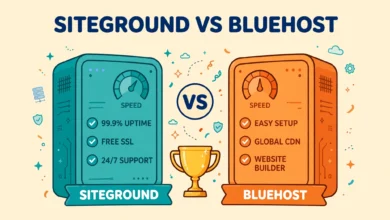
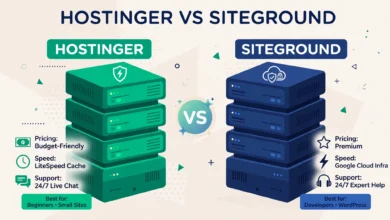
If you are still comparing hosts, our other comparisons may help. See Hostinger vs SiteGround for WordPress if you want a more premium alternative, and Hostinger vs Bluehost for WordPress if you are weighing another beginner friendly brand. For general WordPress requirements, wordpress.org lists the recommended hosting environment, which is a useful check before any purchase.
Frequently Asked Questions
Is Hostinger cheaper than GoDaddy for WordPress?
Usually yes at signup, especially on longer terms. Hostinger entry plans are priced aggressively for beginners, while GoDaddy regular pricing tends to sit higher. Always compare renewal prices too, because both hosts charge more after the first term, and prices change over time.
Is Hostinger faster than GoDaddy for WordPress?
For a typical small WordPress site, Hostinger has a speed advantage thanks to LiteSpeed servers, NVMe storage, and built in caching. GoDaddy is still fine for small sites, but your theme, images, and plugins affect speed as much as the host, so keep your site lean on either platform.
Should beginners choose hPanel or cPanel?
Beginners usually find hPanel simpler, because it groups tasks clearly and hides advanced settings. Experienced users often prefer cPanel because it is the standard panel most tutorials assume. If you have never managed hosting before, hPanel is the easier starting point.
Can I move my site later if I pick the wrong host?
Yes. WordPress sites can be migrated between hosts with a migration plugin or a manual move of files and database. Picking a host is not permanent, so choose the best fit now and move later if your needs change, rather than delaying your site while you search for a perfect option.
Last updated: November 2026.


One Comment