Most creators grow one follower at a time. A collab post lets you borrow a second audience in a single tap, because the same post appears on two profiles at once. That shared reach is why collab posts have become one of the most practical growth tools on Instagram in 2026, especially for small and mid sized creators who cannot rely on the algorithm alone.
Still, a collab is not magic. It will not fix weak content, and it helps little if the other creator’s audience has no reason to care about you. Used well, it puts your best work in front of people who already trust someone like you.
If you are still building your foundation, start with a simple system first. Our 30 day Instagram growth plan covers posting rhythm, Reels, and profile basics that make any collab work harder for you.
What Is an Instagram Collab Post?
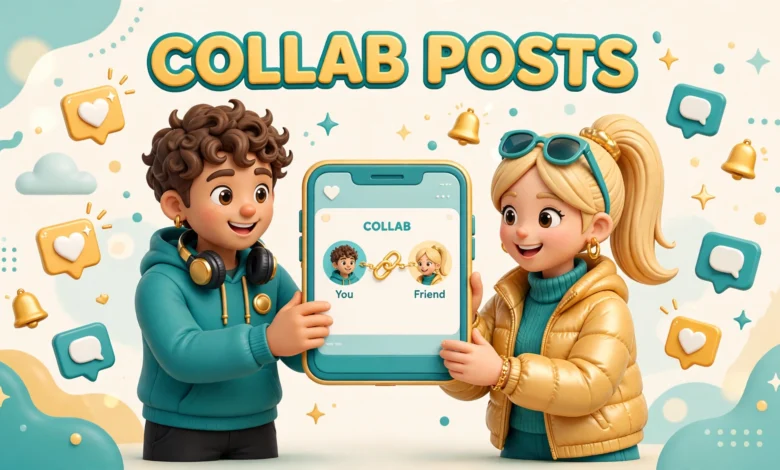
An Instagram collab post is a single feed post or Reel published by two or more creators together. One person creates the post and invites the others as collaborators. Once they accept, the post appears on every collaborator’s profile grid and in their followers’ feeds, while all likes and comments live on that one shared post instead of being split across copies.
You can invite up to 5 collaborators on a single post. The original creator stays the owner of the post, but every accepted collaborator gets the same public credit and the same audience benefit. That shared comment section is part of the value. When followers from both sides react in one place, the post looks active, and new visitors can see a real conversation instead of an empty repost.
How Do You Invite a Collaborator on Instagram?
Inviting a collaborator takes less than a minute, but you must do it before you publish. Follow these steps in the Instagram app:
- Create a new post or Reel as usual and add your photo, video, caption, and hashtags.
- On the final share screen, tap Tag people.
- Tap Invite collaborators.
- Search for the creator you want to add and tap their name.
- Repeat for each extra collaborator, then tap Done.
- Share the post. It will not appear on the collaborator’s grid until they accept.
Double check the invite before you tap Share. A common beginner error is tagging someone in the photo but forgetting the separate collaborator invite. A tag only links their name. A collaborator invite is what puts the post on their profile, so the two steps are not interchangeable.
How Do You Accept a Collab Invitation?
When someone invites you, Instagram sends you a notification and the invite appears in your activity. Open it, preview the post, and tap Accept to publish it to your grid, or Decline if it does not fit your page. Accept only after you have actually looked at the content, because your name will sit on it in front of your own audience.
If you accept and later change your mind, you can remove yourself from the post, which removes it from your grid without deleting the original. Never accept blindly just to be polite, and never pressure someone to accept yours on the spot.
Can You Add a Collaborator After Posting?
Yes, in many cases you can add a collaborator after a post is already live. Open the post, tap the three dots, choose Edit, then go to Tag people and add the collaborator invite. The invited creator still has to accept before the post appears on their profile.
This option is useful when a collab idea comes together after publication, but it is not a reason to skip planning. A post that launches on two profiles at once gets its strongest early push in the first hours, so agreeing the collab before publishing will almost always perform better than adding a partner late.
How Do You Pick the Right Collab Partner?
The best collab partner is not the biggest creator you can reach. It is the creator whose audience overlaps with yours without being a direct clone of your page. If you teach budget cooking and you collab with a fitness creator whose followers also cook at home, that overlap is useful. If you collab with a creator in a totally unrelated niche, their followers may watch once and never return.
- Shared audience interests: their followers should plausibly care about your topic too.
- Similar size tier: collabs work best when both sides bring real value, even if the counts are not identical.
- Matching quality: similar video quality, editing standard, and posting consistency signal a fair partnership.
- Clean reputation: check recent posts and comments before attaching your name to someone else’s page.
Similar size does not mean equal size. A creator with 8,000 engaged followers can be a better partner than a creator with 80,000 quiet ones. Look at comments, saves, and shares, not just the follower count. An audience that talks back is an audience that might follow you too.
Direct competition needs thought too. Two creators in the exact same narrow niche can still collab by covering different angles, but a straight duplicate gives viewers little reason to follow both of you. Complementary beats identical almost every time.
How Do You Pitch a Collab Without Sounding Spammy?
A good pitch is short, specific, and clearly useful to the other person. Skip generic lines like asking to grow together. Instead, name one idea, explain what each side brings, and make it easy to say yes. Creators get many vague requests, so a concrete plan stands out immediately.
- Open with one genuine detail: mention a specific post of theirs you liked and why.
- Propose one idea: name the format, topic, and who does what.
- State the benefit plainly: what their audience gets, not just what you get.
- Keep it short: three or four sentences are enough for a first message.
Here is a simple template you can adapt: “Hi, I loved your recent Reel on weeknight meals. Would you like to make a joint Reel where you cook the main dish and I make a 5 minute side? I can film my part this week and handle the edit.” Notice what it does. It shows you watched their work, offers one clear idea, and removes work from their plate.
What Should You Agree Before You Post?
Most collab problems come from assumptions, not bad intentions. A five minute conversation before filming prevents most of them. Agree on the basics in writing, even if it is just a short message thread, so both sides remember the same plan.
- Caption and hashtags: who writes them, and does the other person approve them before posting?
- Timing: what day and time will the post go live, in which timezone?
- Comments: who replies, and how fast, especially in the first few hours?
- Edits and reshoots: who edits, and what happens if one side dislikes the cut?
- Money and disclosure: is anyone being paid, and does the post need a paid partnership label?
The paid partnership point matters. If money, free products, or any other compensation is involved, label the post honestly with Instagram’s paid partnership tools and follow your country’s disclosure rules. A collab label alone is not an ad disclosure.
Which Collab Formats Actually Work?
A collab post is only the container. The format inside it decides whether new viewers stay. Pick a format that gives both creators a visible role, so neither side looks like a guest standing silently in someone else’s video.
- Split skill Reels: each creator handles one half of a task, such as cooking a main and a side.
- Teach and react carousels: one creator explains a method while the other adds tips or a checklist.
- Challenges: a 7 day or 30 day challenge gives viewers a reason to follow both accounts for updates.
- Q and A swaps: each creator answers the other one’s audience questions in a shared Reel or carousel.
- Live takeovers: one creator joins the other’s live session, then both clip the best moments into a collab Reel.
Whatever format you choose, open with a shared hook in the first seconds and show both faces early. If you run a series, Instagram broadcast channels also pair well with a collab, since they let new followers hear from you again the next day.
What Mistakes Waste a Good Collab?
Collabs fail for predictable reasons, and most of them are avoidable. The biggest one is choosing reach over fit. A huge audience that does not care about your topic will scroll past, and the post will look like a miss even though the partner was popular.
- Skipping the agreement: no plan for caption, timing, or comment replies leads to confusion after launch.
- One sided content: if only one creator talks, viewers follow only that creator.
- Treating the collab label as disclosure: payment still needs a proper paid partnership label.
- Collabing too often with no solo content: your own page still needs its own voice between joint posts.
Another honest caveat is worth repeating. A collab amplifies what is already there. If your profile is unclear or your posts are inconsistent, new visitors will leave without following. Fix the profile first, then collab.
How Do You Measure Results and Turn Visitors Into Followers?
After a collab goes live, wait at least 48 hours before judging it. Then check three things: new followers gained, performance versus your recent solo posts, and whether the new followers stayed after a week.
- Follower growth: compare your follower count the day before and a few days after the collab.
- Reach and saves: saves and shares signal real interest better than likes alone.
- Profile visits: a spike in visits with few follows means your profile, not the collab, needs work.
- Retention: check a week later whether the new followers are still there and engaging.
To convert visitors, make the next step obvious. Pin your best post, keep your bio to one clear promise, and publish a strong follow up post within two days while the collab is still fresh.
Engagement after the collab matters too. Reply to comments on the shared post from both sides, answer questions, and thank new followers where it feels natural. If comments are slow on your own posts in general, our guide on getting more Instagram comments in 2026 covers prompts and reply habits that help collab visitors stick around.
For official how to steps and current limits, check the Instagram Help Center and the Instagram for Creators site, since Instagram changes features and limits over time and the in app screens are the final authority.
Frequently Asked Questions
How many collaborators can you add to an Instagram post?
You can invite up to 5 collaborators on a single post or Reel. Each accepted collaborator gets the post on their profile grid, and all likes and comments stay on the one shared post.
Does the other creator need to accept before the post appears on their profile?
Yes. The post only appears on a collaborator’s grid after they accept. Until then it lives only on the original creator’s profile, which is why a quick message before sending the invite helps.
Do collab posts help small creators grow?
They can, especially when the partner’s audience genuinely shares your topic. One good collab can introduce a small creator to hundreds or thousands of relevant viewers at once. The limit is that a collab will not rescue unclear content or an empty profile.
Should you pay for a collab post?
Most creator to creator collabs are unpaid swaps of audience, not paid ads. Payment makes sense when one side provides a clear service or a business is involved. If any payment or free product changes hands, use the paid partnership label and disclose it honestly.
Last updated: November 2026.