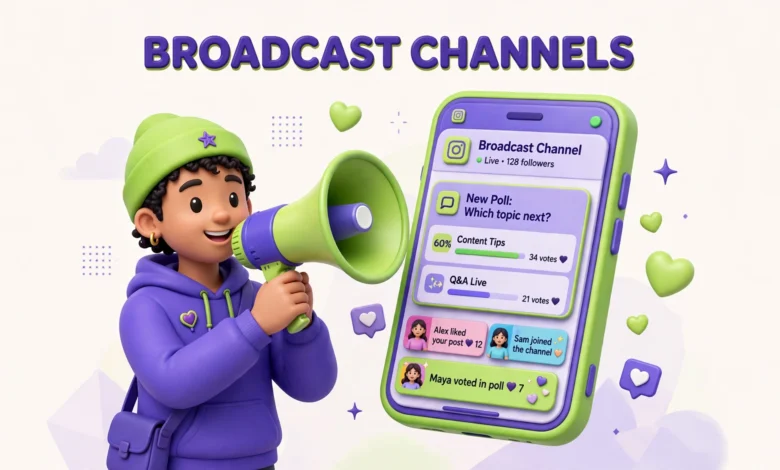
Instagram’s feed is crowded, Stories disappear in 24 hours, and the algorithm decides who sees your posts. A broadcast channel works differently. It puts your message directly in your followers’ DM inbox, with no algorithm standing between you and the people who chose to hear from you. For small creators, that direct line is surprisingly powerful.
This guide explains what Instagram broadcast channels are, who can create one, how to set one up step by step, what to send, and how to grow a channel without annoying your audience. If you are still building your base, pair this guide with our 30 day plan to grow on Instagram, since a channel works best when new followers keep discovering it.
What Is an Instagram Broadcast Channel?
A broadcast channel is a one to many messaging space inside Instagram. As the creator, you send messages to everyone who joined your channel. Subscribers read your updates in their inbox, react to them, and vote in your polls, but they cannot flood the channel with their own messages. It feels like a private newsletter delivered inside the app your audience already opens every day.
The key difference from the feed is control. A feed post reaches a fraction of your followers, depending on the algorithm. A channel message reaches your subscribers directly, because they opted in. That opt in is the whole point: nobody is forced into your channel, so the people inside it actually want your updates. That also means your channel will always be smaller than your follower count, and that is fine. A small, willing audience beats a large, indifferent one.
Who Can Create a Broadcast Channel?
You need a professional account, either a Creator account or a Business account, to create a broadcast channel. Personal accounts do not get the option. Switching to a Creator account is free and takes a minute in settings, and it also unlocks other creator tools, so there is little reason not to switch if you are serious about growing.
You may remember an old rule that only accounts with 10,000 followers could create channels. That restriction is gone in most markets now, and small creators can create channels too. Availability can still vary by region and account history, so if you do not see the option yet, update the app, confirm your account type is set to Creator, and check again after a few days. Do not buy followers to unlock a feature; a channel full of fake accounts helps nobody.
How Do You Set Up a Broadcast Channel?
Setup takes only a few minutes. Open Instagram, go to your DM inbox, and start a new message. Choose the broadcast channel option, give your channel a clear name, and pick an audience. You can open it to all followers or limit it to paid subscribers if you offer subscriptions. For most small creators, open to all followers is the right start, because growth matters more than exclusivity at this stage.
- Switch to a Creator or Business account in Settings if you have not already.
- Open your DM inbox and tap the new message icon.
- Select Create broadcast channel and choose a short, clear name that matches your content.
- Set the audience to all followers and add a welcome message that tells subscribers what they will get.
- Share the channel to your Story once, so your existing followers know it exists.
Your welcome message matters more than it looks. Subscribers decide in the first few messages whether to stay or mute you. Tell them plainly what the channel is for, how often you will post, and what kind of updates they can expect. A channel that promises daily value and delivers it keeps subscribers; a channel that surprises people with constant selling loses them fast.
What Can You Send in a Broadcast Channel?
Channels support more formats than many creators realise. You can send text updates, photos, videos, voice notes, links, polls, and prompts that invite subscribers to reply. Polls and prompts are especially useful, because they turn a one way broadcast into a light two way conversation without opening the floodgates to full chat.
- Text updates: quick tips, announcements, and short thoughts that do not need a full post.
- Photos and videos: behind the scenes clips, sneak peeks, and early looks at upcoming content.
- Voice notes: personal, warm updates that feel closer than typed text and suit creators with a strong voice.
- Polls: fast feedback on content ideas, posting times, and audience preferences.
- Prompts: open questions that let subscribers reply, which you can feature (with permission) in later content.
- Links: new posts, products, and drops, used sparingly so they still feel special.
How Do Subscribers Interact With Your Channel?
Subscribers interact in limited, low friction ways. They can react to your messages with emojis, vote in your polls, and reply to prompts you send. They cannot post their own messages into the channel, which keeps it clean and keeps you in control of the conversation. If you enable replies, you can read subscriber responses privately and choose what to feature.
This limited interaction is a feature, not a flaw. It protects your time and keeps the channel focused. For deeper conversation, point subscribers toward your comments or Stories. If you want more comments on your regular posts, our guide on how to get more Instagram comments pairs well with channel polls, since both reward you for asking better questions.
What Content Works in a Broadcast Channel?
The content that works best feels exclusive, useful, or early. Subscribers joined because they want more than the feed gives them, so reward that choice. Early access to a new video or post, a poll that shapes your next piece of content, a behind the scenes look at how you made something, and a quick tip that never becomes a post all fit the channel format well.
- Early access: share a new Reel, post, or product with channel members before anyone else sees it.
- Polls that matter: let subscribers vote on your next topic, thumbnail, or posting time, then actually follow the result.
- Behind the scenes: show the messy middle of your work, not just the polished result.
- Quick wins: short tips, templates, or resources that help subscribers immediately.
- Drops and announcements: launches, live sessions, and limited offers, kept occasional so they stay exciting.
What flops is constant selling. A channel that sends a buy link every day trains subscribers to mute it, and a muted channel is invisible. The same goes for repeating your feed posts word for word. If subscribers can get the same content from your feed, the channel adds nothing, and they will leave. Give the channel at least one reason to exist that the feed does not offer.
How Do You Grow Your Broadcast Channel?
Growing a channel is mostly about reminding the right people it exists, at moments when they are already paying attention. Your profile shows a join option once your channel is live, so new profile visitors can join in one tap. Beyond that, three promotion spots do most of the work: Stories, Reels, and your posts themselves.
Stories are the easiest win. Share your channel to a Story with a clear reason to join, such as early access to your next post or a poll that only channel members can vote in. If you want your Stories to reach more people in the first place, our guide on how to get more Instagram Story views will help you build the audience your channel promotion reaches.
Reels work well too, because they reach people who do not follow you yet. End a strong Reel with a simple call to action: join the channel for the full version, the template, or the part two. Keep the ask short and specific. A vague “join my channel” converts far worse than “join the channel for the free template I mentioned.” And if you are still under a thousand followers, our guide to your first 1,000 Instagram followers covers the follower growth that feeds your channel over time.
One more honest point: growth will be slow at first, and that is normal. If 2 percent of your followers join in the first month, that is a real result for a small account. A channel with 50 engaged subscribers who read everything is more valuable than a channel with 500 people who mute it on day one. Optimise for readers, not for the join count.
What Are the Honest Limits of Broadcast Channels?
Broadcast channels have real limits, and knowing them keeps your expectations realistic. Only opt in subscribers see your messages, so your reach is small by definition. A channel does not replace your feed, Reels, or Stories; it complements them. If you stop posting publicly, your channel stops growing, because new subscribers only arrive through your public content.
Channels also have limited conversation. If your goal is community discussion, a channel alone will frustrate you, because subscribers cannot talk to each other inside it. Use the channel for announcements, exclusives, and quick feedback, and use comments, Stories, and live sessions for real discussion. Finally, overposting is a real risk. Every message lands in someone’s inbox, which feels more personal than a feed post. Respect that inbox, and you will keep the audience you worked to build.
What Is a Simple Weekly Rhythm for Small Creators?
Small creators do best with a light, repeatable rhythm rather than daily channel blasts. Three to four channel messages per week is plenty, and even two per week works if both are genuinely useful. Consistency matters more than volume: subscribers should know roughly when to expect you, and they should never wonder why they joined.
- Monday: one useful tip or resource related to your niche.
- Wednesday: one poll or prompt that lets subscribers shape your next post.
- Friday: one behind the scenes update or early access link.
- Occasional: one announcement or drop, only when you genuinely have news.
Track what works by watching reactions and poll votes, not just subscriber count. If polls get votes and early access links get taps, your channel is healthy. If reactions drop to zero, you are either posting too often, too generically, or too much selling. Cut back, ask subscribers what they want through a poll, and adjust. A channel is one of the few places on Instagram where your audience tells you directly what they want, so listen to them. For official details on channel features as they change, check Instagram’s Help Center and Instagram for Creators.
Frequently Asked Questions
Do you need 10,000 followers to create a broadcast channel?
No, not in most markets anymore. You need a professional Creator or Business account, and the feature is now available to small creators too. Availability can still vary by region, so update the app and check your DM inbox for the option.
Can subscribers message you in a broadcast channel?
Subscribers cannot post their own messages into the channel. They can react to your messages, vote in polls, and reply to prompts you send, which keeps the channel focused and easy to manage.
How often should you post in a broadcast channel?
Three to four messages per week is a good rhythm for most small creators, and two strong messages beat five forgettable ones. Avoid daily selling, since every message lands in subscribers’ inboxes and overposting leads to mutes.
Do broadcast channels replace Instagram Stories and Reels?
No. Channels only reach people who opted in, so they are small by definition. Feed posts, Reels, and Stories bring in new followers who can then discover and join your channel. Think of the channel as the inner circle, not the whole strategy.
Last updated: October 2026.