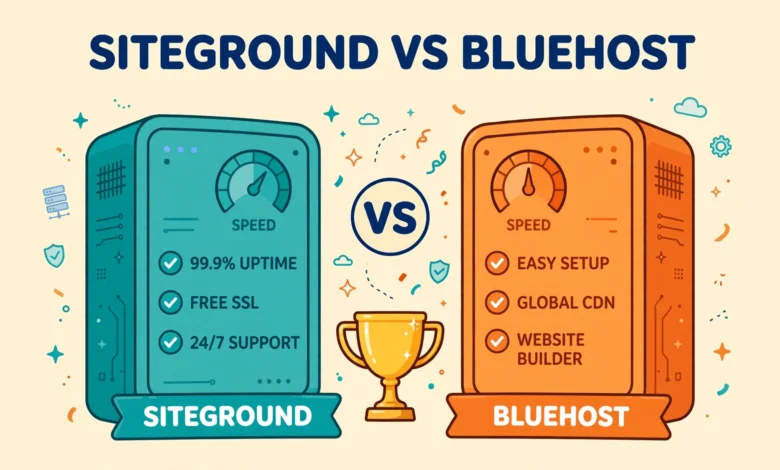
Choosing between SiteGround and Bluehost is one of the most common decisions WordPress users face, and it is easy to see why. Both hosts are officially recommended by WordPress, both offer one click WordPress installation, and both advertise beginner friendly pricing. Yet they are built for different kinds of website owners, and picking the wrong one can cost you speed, money, or hours of support chats later. This honest comparison looks at performance, pricing, backups, support, staging, and ease of use, so you can choose with confidence instead of guessing from a sales page.
The short version is this. SiteGround is the stronger choice if you care most about speed, reliability, and helpful support, and you are willing to pay a higher renewal price for it. Bluehost is the stronger choice if you want the lowest possible starting cost, a simple setup, and room to grow a small site without overthinking the technical details. The rest of this guide explains why, and which one fits your specific situation.
SiteGround vs Bluehost at a Glance: Who Is Each Host For?
SiteGround is a premium managed WordPress host. It runs on Google Cloud infrastructure, includes its own caching system, and bundles daily backups and staging tools on most plans. It suits bloggers who want fast loading times without tuning servers themselves, small businesses that cannot afford downtime, and freelancers who manage client sites and need dependable support.
Bluehost is a mass market host with a very low barrier to entry. It is one of the largest hosts in the world, it powers millions of sites, and its entry plans are among the cheapest you will find from a reputable provider. It suits first time website owners, hobby bloggers, and anyone testing an idea who wants to keep upfront costs low. If you are still deciding between other popular hosts as well, our Hostinger vs SiteGround comparison and our Hostinger vs GoDaddy comparison cover two more budget friendly alternatives.
How Do SiteGround and Bluehost Compare on Performance?
Performance is where SiteGround pulls ahead most clearly. Its platform runs on Google Cloud, uses fast SSD storage, and includes its SuperCacher system plus a free content delivery network on many plans. In practice, that means WordPress pages load quickly even before you install a caching plugin, and the server handles traffic spikes more gracefully. For a business site or a blog that is starting to get real traffic, that head start matters.
Bluehost performance is perfectly adequate for a new or small site, but it is not its main selling point. Its shared plans put more sites on each server, and its built in caching is more basic than SiteGround’s. A small blog with modest traffic will usually load fine on Bluehost, especially if you add a good caching plugin and keep images optimized. But if two identical sites were placed side by side, the SiteGround version would usually win on loading speed and consistency. For a deeper look at why hosting choice affects speed, see our web hosting guide, which explains the factors that matter most.
One practical tip applies to either host. No hosting plan fixes a bloated site on its own. Heavy themes, unoptimized images, and too many plugins will slow down even a premium server. If your site already feels slow, read our guide on how to fix a slow WordPress admin dashboard, since many of the same fixes speed up the front end too.
What About Pricing: Intro Offers vs Renewal Prices?
This is the part of the comparison that trips up the most buyers, so read it carefully. Both hosts advertise low introductory prices for the first term, and both renew at significantly higher rates. That pattern is standard across the hosting industry, not a trick unique to either company. The difference is the size of the gap and what you get for the renewal price.
Bluehost usually wins on first term price. Its entry plan is cheap, and it often includes a free domain for the first year, which is genuinely useful for a brand new site. If your total budget for year one is tight, Bluehost is hard to beat. Just make sure you check the renewal price shown at checkout before you pay, because that is the price you will pay from year two onward.
SiteGround usually costs more, both at signup and especially at renewal. The renewal price can be several times the intro price, which surprises many customers. Whether that is worth it depends on what you value. If fast support, daily backups, staging, and strong out of the box speed save you time or protect your income, the higher price may pay for itself. If your site earns nothing yet and you mainly need a place to learn WordPress, the extra cost is harder to justify. We deliberately avoid quoting exact prices here because both hosts change their prices and promotions often, so always check the current pricing pages at SiteGround and Bluehost before you buy.
How Do Backups, Staging, and Migration Compare?
Backups are one area where SiteGround clearly leads. Most SiteGround plans include free daily backups with easy one click restore, so if an update breaks your site you can roll back in minutes. Bluehost offers backups too, but on its cheapest plans they may be less frequent or tied to an add on service, so check the plan details carefully. Either way, never rely on your host as your only backup. Keep your own copy as well, ideally in a separate location.
Staging follows the same pattern. SiteGround includes a staging tool that lets you clone your site, test changes safely, and push them live when you are happy. That is a big advantage if you update plugins often or redesign pages. Bluehost offers staging on higher plans, but beginners on the cheapest plan may not get it. If you want to learn staging properly, our guide on how to create a WordPress staging site without a plugin shows a manual method that works on any host.
Migration is easy with both hosts. Each offers a free or low cost migration service that moves an existing WordPress site from another host, and each has a migrator plugin or tool to help. If you are moving a live business site, use the host’s assisted migration rather than doing it manually, and test the moved site thoroughly before pointing your domain at it.
Which Host Has Better Support and Ease of Use?
Support quality is the second area where SiteGround stands out. Its support team is widely praised for fast response times and for actually solving WordPress problems rather than reading scripts. Live chat and phone support are available, and its help documentation is thorough. When something breaks at an awkward hour, that difference feels very real.
Bluehost support is available around the clock by chat and phone as well, but experiences vary more. Simple questions are usually handled quickly, while complex WordPress issues may take longer or require escalation. That is not unusual for a host operating at Bluehost’s scale, but it is worth knowing before you commit a business site to it.
For ease of use, both hosts are beginner friendly, just in different ways. Bluehost uses a clean custom dashboard built around WordPress, with a simple onboarding flow that walks new users through setup. SiteGround uses its own Site Tools panel instead of the traditional cPanel, and it is modern, fast, and well organized once you learn where things live. Neither panel is difficult, but if you have only ever used cPanel, give yourself a short adjustment period with SiteGround’s panel.
SiteGround vs Bluehost Verdict: Which Should You Choose?
The right answer depends on your situation, not on which host wins the most categories. Use this verdict table as your shortcut.
| Your situation | Best pick | Why |
|---|---|---|
| Beginner on a tight budget | Bluehost | Lowest starting cost plus a free first year domain |
| Growing blog or business site | SiteGround | Faster performance, daily backups, and stronger support |
| Freelancer managing client sites | SiteGround | Staging, backups, and reliable support protect client work |
| Hobby site or testing an idea | Bluehost | Cheap entry and simple setup with room to upgrade later |
| Online store with real orders | SiteGround | Speed and uptime directly affect sales and trust |
If you are still unsure, ask yourself one question: will slow support or a slow site cost you money or sleep in the next year? If yes, SiteGround is worth the higher renewal price. If your site is a learning project or a side hobby with no income yet, start with Bluehost, learn WordPress properly, and upgrade or move later when your traffic and income justify it. Either way, check the current renewal price before checkout, keep your own backups, and choose the plan that matches your real traffic, not your dream traffic.
Frequently Asked Questions
Is SiteGround faster than Bluehost for WordPress?
In most real world tests, yes. SiteGround’s Google Cloud platform, built in caching, and lower server density usually produce faster and more consistent loading times than Bluehost’s shared plans. Bluehost is still fast enough for small sites, but SiteGround has the clear edge for growing sites.
Is Bluehost cheaper than SiteGround in the long run?
Usually, yes, because both its intro price and its renewal price tend to be lower than SiteGround’s. However, the gap narrows if you need paid backup or staging add ons on Bluehost that SiteGround includes. Compare the full plan features at renewal price, not just the headline intro price.
Can I switch from Bluehost to SiteGround later?
Yes. Both hosts offer migration tools, and SiteGround offers an assisted migration service. Moving a WordPress site between hosts is a routine task. Just back up your site first, test the migrated copy fully, and only then update your domain settings.
Which host is better for WordPress beginners?
Bluehost is slightly easier for an absolute beginner because of its low price and guided WordPress onboarding. SiteGround is also beginner friendly and offers better support when you get stuck. If budget is your main worry, start with Bluehost. If confidence and support matter more, start with SiteGround.
Last updated: November 2026.