Every creator knows the fear of posting a new idea to their main feed. Will loyal followers like this different format? Will a risky hook confuse the audience you worked hard to build? Will one weak reel drag down your recent average? Instagram trial reels were built for exactly this problem. They let you test a reel with people who do not follow you yet, before you decide whether your existing audience should ever see it.
Used well, trial reels are one of the most useful testing tools Instagram has given small creators. Used badly, they can waste good ideas, confuse your results, and even hurt reach through duplicate uploads. This guide explains what trial reels are, who can use them, how to post one step by step, how to read the results honestly, and how to build a weekly testing routine that actually improves your content.
What are Instagram trial reels?
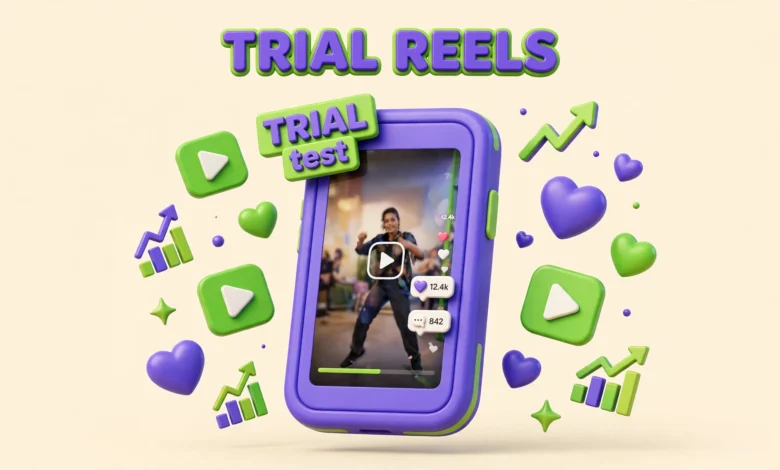
A trial reel is a reel that Instagram initially shows only to non-followers. It does not appear on your profile grid, and your followers do not see it in their main feed during the trial phase. Instead, Instagram tests it with a fresh audience of people who have shown interest in similar content but who have not chosen to follow you yet.
After the trial period, usually around 24 hours, check the insights and decide what to do next. If strangers responded well, share it with everyone, which adds it to your grid and shows it to followers. If it performed poorly, leave it as a trial, archive it, or delete it, without it ever sitting on your profile as a public miss.
Who can use trial reels?
Trial reels are available on public accounts, but there are follower thresholds that depend on your account type. Professional accounts, meaning business and creator accounts, generally need at least 200 followers to access trial reels. Personal accounts generally need at least 1000 followers. Your account must also be eligible for recommendations, which means it should be public and in good standing, without recent violations that limit distribution.
If you do not see the trial option, check the basics first. Make sure your account is public, confirm your account type and follower count, and update the Instagram app. If you recently switched from private to public, give the app time to update. Otherwise you may be in a group where the rollout is still in progress.
How do you post a trial reel, step by step?
Posting a trial reel is almost the same as posting a normal reel, with one extra toggle. The steps below follow the standard flow in the Instagram app, though button labels can shift slightly with app updates.
- Open Instagram and tap the plus button, then choose Reel, and select or record your video as usual.
- Edit the video, add captions, audio, and any on screen text, then tap Next to reach the share screen.
- Look for the Trial option and turn it on. The wording may say Trial or Trial reel, and it should confirm the reel will be shown to non-followers first.
- Write your caption and hashtags exactly as you would for a normal reel, because strangers will judge the reel on the full package, not just the video.
- Check the sharing settings before you post, especially the auto share option explained below, then tap Share.
Once posted, the reel lives in a trial state, usually marked as a trial in your reels tab. Do not panic if early views look slow. Trial reels start with a smaller colder audience than a reel pushed to loyal followers, so early numbers are not directly comparable to normal posts.
Share to everyone vs auto share: what is the difference?
After the trial period, you have a choice. Share to everyone means you manually decide to publish the trial reel to your full audience. It then appears on your profile grid and becomes visible to followers like a normal reel. This manual control is ideal for careful testing, because you only promote winners.
Auto share is different. With auto share turned on, Instagram automatically shares the trial reel with everyone if it performs well during the trial, based on its own performance threshold. This can save time if you post many trials, but it also takes the decision out of your hands. A reel might cross the threshold on views alone, even if the comments show it attracted the wrong audience for your brand.
How do you read trial reel insights after 24 hours?
Wait at least 24 hours before judging a trial reel. Early hours are noisy, and a reel can pick up slowly as Instagram finds the right non-follower audience. When you open insights, look beyond the view count. Views alone tell you that Instagram showed the reel, not that people liked it.
Focus on four signals. First, watch time and average view duration, especially whether strangers pass the first three seconds. Second, likes, comments, shares, and saves relative to views. Third, follows gained, since converting strangers into followers is the hardest growth job. Fourth, comment quality, such as questions or friends tagged.
Compare like with like. A trial about a new topic should be compared with other trial reels, not with your best normal reel to loyal followers. Trial audiences are colder by design, so lower initial reach is expected. Ask whether it beat your other trials, and whether the right strangers engaged.
What should you actually test with trial reels?
Trial reels are wasted if you only test safe versions of what you already post. Their value is in controlled experiments. Test one variable at a time, so you can tell what caused the difference.
- Fresh hooks: test two different openings for the same idea, such as a bold claim versus a relatable problem, and see which holds strangers past three seconds.
- Risky formats: try a format you are unsure about, like a silent visual demo, a fast list, or a strong opinion, without risking your grid.
- Adjacent topics: test a topic next to your niche, not far outside it, to see whether you can expand without confusing your core audience.
- Different lengths: test a tight 15 second version against a fuller 45 second version of the same lesson.
- Different calls to action: test asking for a save, a comment answer, or a follow, and see which drives real engagement rather than empty views.
Keep a simple test log. For each trial, note the idea, the hook, the format, and the key results after 24 hours. After a month, patterns will emerge that no single viral post could teach you. You might learn that your audience loves practical checklists but ignores opinion pieces, or that short hooks outperform long stories every time. Those patterns are worth more than one lucky reel.
The big warning: never re-upload an existing reel as a trial
This is the mistake that hurts creators most with trial reels. Do not take a reel you already posted normally, download it, and re-upload it as a trial, or vice versa. Instagram can detect duplicate content, and re-uploaded reels often get sharply reduced reach, or are treated as unoriginal content. Even if the video looks slightly edited, the core duplicate can still be flagged.
The correct workflow is to create a reel specifically as a trial, test it, and then share that same trial reel to everyone if it wins. That keeps one original upload and one clean distribution path. To test a new version of an old idea, film or edit it fresh, with a new hook or pacing, so it is genuinely new content, not a copy.
Adam Mosseri, the head of Instagram, has given an important caveat. Trial reels generally get less reach than regular reels, because they are shown to a colder audience first. That is not a flaw in your content. Judge trials against other trials, and do not abandon a good idea just because its trial numbers look smaller than a normal post.
Can you schedule trial reels?
Scheduling for trial reels was added in April 2026, which makes weekly testing much easier to plan. You can prepare trials in advance and set them to publish at times when your target audience is active, rather than posting whenever you happen to finish editing. This is especially useful if you batch record several test ideas in one session.
When scheduling, keep the same discipline as live posting. Set the trial toggle before scheduling, double check the caption and cover, and decide in advance whether auto share is on or off. A scheduled trial that auto shares a weak idea to your full audience defeats the purpose of testing, so check it once live.
For broader timing strategy, pair trial scheduling with what you already know about posting windows. Our guide to the Instagram Reels algorithm in 2026 explains discovery now, and our 30 day Instagram growth plan shows how testing fits a routine. For official creator guidance, see Instagram for Creators and Instagram Help Center. For engagement tactics on winners, see our guide on how to get more Instagram saves and shares.
A weekly trial reel routine that actually works
A useful routine does not require daily trials. For most small creators, two to three trials per week is plenty, alongside your normal posting schedule. More than that, and you will struggle to review results properly, which turns testing into noise.
Try this rhythm. On Monday, pick two test ideas and one variable for each, such as a hook or format, and record them in one batch. Post the first trial on Tuesday and the second on Thursday, so each gets a clean 24 hour window. On Friday, review both, share the winner to everyone if it earned promotion, and use the lesson to plan next week.
Frequently asked questions
Do my followers see my trial reels?
No, not during the trial phase. Trial reels are initially shown to non-followers only and do not appear on your profile grid. Followers only see the reel if you later share it to everyone, or if auto share publishes it after strong trial performance.
How long should I wait before judging a trial reel?
Wait at least 24 hours. Early views can be slow and uneven, because Instagram is still finding the right non-follower audience. Judge watch time, saves, shares, comments, and follows, not just the view count, and compare the result with your other trial reels.
Can I turn an existing reel into a trial reel?
No, you should not re-upload an existing reel as a trial. Duplicate detection can sharply reduce reach. Instead, create the reel as a trial from the start, then share that same trial reel to everyone if it performs well.
Do trial reels get less reach than normal reels?
Yes, usually. Trial reels are shown to colder audiences first, so they often get less initial reach than reels posted directly to followers. That is expected, and it is why you should compare trial results with other trials, not with your best normal posts.
Last updated: October 2026.