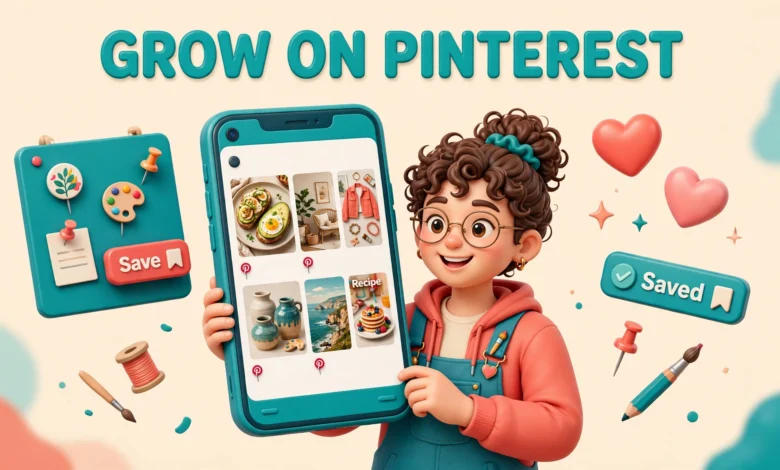
Pinterest is the most misunderstood platform in the creator economy. Most new creators treat it like Instagram, post a few pretty images, wait for likes, and then give up when nothing happens. That fails because Pinterest is not a social feed. It is a visual search engine, and people open it with a plan: a recipe to cook, a room to decorate, an outfit to copy, a skill to learn. They search, they save, and they click through.
The honest news first: Pinterest is slow. A pin can take weeks or months to find its audience. The good news is that pins live far longer than any reel or short video. A good pin can send traffic to your blog or shop for a year or more. This guide shows you how to grow on Pinterest as a creator in 2026.
What makes Pinterest different from Instagram and TikTok?
On Instagram and TikTok, success depends on the feed. The algorithm shows your content to people who never asked for it, and if they scroll past in two seconds, the post dies. On Pinterest, success depends on search. People type a phrase, Pinterest shows the most relevant pins, and a pin that matches the search can keep working for months. You are building a searchable library, not chasing a daily viral moment.
The second difference is intent. A Pinterest user searching for “small balcony garden ideas” is already planning to do something. The Pinterest visitor is far more likely to click through to your blog, save your idea, or buy the product you linked. If you already post short video elsewhere, our guide to the Instagram Reels algorithm in 2026 shows how different that feed-first game really is.
How do you set up a Pinterest business account?
Start with a business account, not a personal one. A business account is free, and it unlocks Pinterest Analytics, the ability to claim your website, and access to ads if you ever want them. Choose a business name that says what you do, such as “Sara Cooks Easy Dinners” instead of only your name, because that name is searchable.
- Create a free business account and pick the business type that fits you, usually creator or blogger.
- Claim your website in settings so Pinterest knows the pins linking to your domain belong to you.
- Add a clear profile photo, ideally your face or a clean logo, and a short bio that states who you help and how.
- Turn on the option to show your Pinterest profile on search engines so your profile can be found on Google too.
Claiming your website matters more than most beginners realise. Once claimed, your profile shows a small checkmark, Pinterest attributes your pins to your domain, and Analytics shows which of your pins drive clicks. The official help pages at Pinterest Help walk through claiming step by step if you get stuck.
How does Pinterest SEO actually work?
Pinterest SEO means helping Pinterest understand what your pin is about so it can show it to the right searches. The system reads your display name, your bio, your board titles, your pin titles, your pin descriptions, and even the text on the pin image itself. Every one of those fields is a chance to use the words your audience actually types.
Finding the right keywords is free and simple. Type a word into the Pinterest search bar and watch the suggestions that appear below it. Those suggestions are real searches from real users. Use two or three relevant phrases in normal sentences, not twenty stuffed keywords. A title like “7 Small Balcony Garden Ideas for Beginners” tells both Pinterest and the searcher exactly what to expect, while “My Garden” tells nobody anything. For contrast, our guide to growing on TikTok in 2026 covers a very different discovery system.
What makes a board worth following?
Boards are your filing system and your shop window at the same time. A visitor who likes one pin will open your profile and judge you by your boards in about five seconds. Clear, specific board titles win. “Easy Weeknight Dinners” beats “Food Stuff” every time, because it tells the visitor exactly what they will find and it tells Pinterest exactly what the board ranks for. Aim for ten to fifteen boards to start, each with a clear topic, a keyword rich title, and a description of one or two sentences.
How do you design pins people actually save?
Pin design is where most creators either win or lose the click. The standard size is 1000 by 1500 pixels, a 2:3 vertical ratio. This size takes up good space in the feed on a phone without being awkwardly tall. Square pins and horizontal images get cropped or shrunk, and they lose the competition before anyone reads a word.
A strong pin has three things: a clear photo or background, a short readable headline, and enough contrast that the text is readable at a glance. Keep the headline to six words or fewer, use a large bold font, and put the text where it is not fighting the photo. Make several pin designs for the same blog post. One post can support three or four different pins, each with a different headline angle, a different photo, and a different colour. Our guide to content batching for creators shows how to produce these variations in one focused session.
Fresh pins or repins: what works now?
Pinterest now favours fresh pins over repins. A fresh pin is a new image, a new design, or a new video that Pinterest has not seen before, even if it links to a page you have already pinned. A repin is simply saving someone else’s existing pin, or saving your own old pin again. Repins still have a place, because saving good pins to your boards keeps them active and useful, but fresh pins are what grow your reach in 2026. For a new creator, a good split is around 70 percent fresh pins and 30 percent repins.
How often should you pin?
Consistency matters more than volume on Pinterest. Pinning five fresh pins a week, every week, beats pinning fifty pins in one weekend and then disappearing for a month. Pinterest rewards accounts that publish steadily, because a steady account looks like a reliable source. For most new creators, three to five fresh pins a day is plenty at the start, and even one fresh pin a day is enough if you sustain it. The goal is a rhythm you can keep for six months, not a sprint that burns you out in three weeks. Also remember that Pinterest traffic follows seasons, so pin Christmas ideas in October and summer ideas in spring.
What are Idea Pins and video pins good for?
Idea Pins, the multi-page story style format, and video pins are Pinterest’s way of keeping people inside the app. A video pin can show a recipe being made, a room transformation in thirty seconds, or a quick tutorial that a static image cannot capture. Video pins often earn more saves and longer attention than static pins, especially for how-to content. Idea Pins are useful for building a following rather than driving clicks, because they do not link out to your website in the same way a standard pin does. Use them to show your process or answer a common question. The smart mix is standard pins for traffic and video or Idea Pins for reach and relationship.
How do you read Pinterest Analytics?
Pinterest Analytics tells you which pins earn impressions, saves, and outbound clicks, and which ones quietly die. Check it weekly, not daily, because Pinterest data moves slowly and daily checking only creates anxiety. Look first at outbound clicks, because clicks are the traffic that reaches your blog or shop. Then look at saves, because a save means someone plans to return to your pin later, and saves predict long term ranking.
- Sort your top pins by outbound clicks and study what they have in common: topic, headline style, colours, or image type.
- Check which search terms bring people to your pins and create more content around those exact phrases.
- Notice which boards earn the most saves and put your best new pins on those boards first.
- Double down on what works by making new pin designs for your top performing posts before you chase new topics.
The most useful habit is simple: every month, make two or three new pin designs for your five best performing posts. Those posts already rank, and fresh designs give Pinterest new material to show for the same searches. This is the compound effect in action. You are adding new doors to rooms people already visit.
How do you turn Pinterest traffic into money?
Pinterest traffic is valuable because the visitors arrive with intent, and that intent converts. The most common path for creators is blog traffic that earns from display ads or affiliate links. The second path is direct: pins that link to your shop, your digital products, your Etsy listings, or your service page. Affiliate links are allowed on Pinterest, but use them honestly. Link to products you genuinely recommend and disclose the affiliate relationship on the page the pin leads to. If you want the wider picture of turning attention into income, our guide to growing on Instagram in 30 days covers the audience building side that pairs well with Pinterest traffic.
What is the honest bottom line?
Pinterest rewards patience, search thinking, and steady publishing. Set up a business account, claim your website, and fill your profile with the words your audience actually searches for. Build clear boards, design vertical pins people can read in two seconds, and publish fresh pins on a schedule you can keep. Expect the first two or three months to feel slow, and judge the platform after six months, not six days. The creators who win on Pinterest are the ones who still show up in month six, when the early pins start ranking and the traffic curve finally bends upward.
Grow on Pinterest FAQs
How long does it take to grow on Pinterest?
Most new creators see little traffic in the first one to two months. Pins usually need several weeks to start ranking in search, and real momentum often arrives around month three to six. Judge your progress after six months of steady pinning, not after two weeks.
Do I need a business account to grow on Pinterest?
A business account is free and strongly recommended. It unlocks Pinterest Analytics, lets you claim your website, and gives you access to ads and richer profile features. You can convert a personal account in settings, but a dedicated business account keeps your creator work separate and measurable.
How many pins should I post per day?
Three to five fresh pins a day is a good target for a growing creator, and even one fresh pin a day works if you sustain it. Consistency matters more than volume. Use the scheduler to spread pins through the day.
Can Pinterest really drive traffic to my blog or shop?
Yes, and that is Pinterest’s biggest strength. Pins link directly to your blog posts, shop pages, or product listings, and visitors arrive through search with real intent to read, save, or buy. A single well ranked pin can send traffic for a year or more.
Last updated: November 2026.