Most solo creators do not fail because they lack talent. They fail because content creation eats every free hour they have. You film one video, edit it, post it, and by the time you are done, tomorrow’s post is already late. That daily scramble is why so many creators burn out in the first six months.
The fix is to batch create content: do a whole month of work in a few focused sessions instead of starting from zero daily. This guide shows you the one-day filming workflow, the AI tools that speed up scripting and editing, and how to schedule and crosspost everything without spending your evenings online. If you want the general introduction first, read our companion guide on content batching for creators, then come back here for the practical workflow.
What Batch Creating Really Means for a Solo Creator
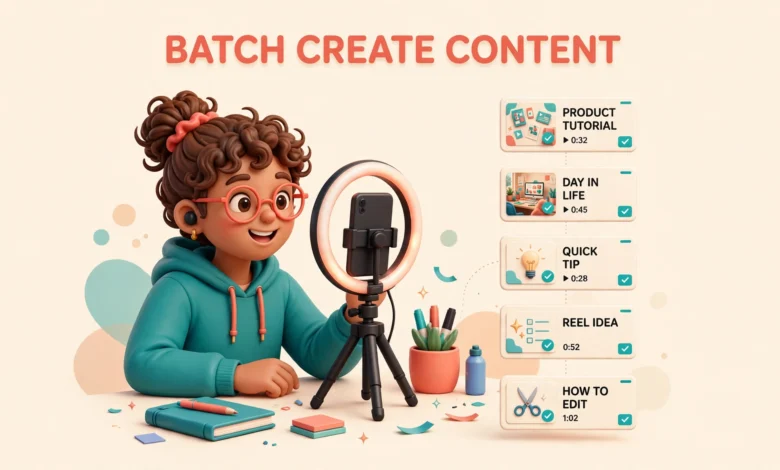
Batch creating means grouping the same kind of work together. Instead of planning, filming, editing and posting one video at a time, you plan ten ideas in one sitting, film them in one session, edit them in one block, then schedule them across the month. Each step gets faster because you are not switching tools, outfits, lighting and mindsets ten separate times.
The key difference for a solo creator is scale. Big creators have editors and assistants. You have yourself, a phone and maybe two hours a day. So your batching system has to be simple enough to run alone and realistic enough to repeat every week. A system that needs six hours of setup collapses by week two. One built around one filming day will not.
Step 1: Plan a Month of Ideas in One Sitting
Set aside one hour, once a month, just for ideas. Open a notes app or a spreadsheet and write down every video idea you can think of. Do not judge them yet. Pull ideas from your comments, your most saved posts, and questions people keep asking. Aim for 20 to 25 ideas, even if half are weak. You only need 12 to 20.
Then sort the list. Pick a mix of formats so the month does not feel repetitive: tips, stories, tutorials and one or two opinion pieces. Give each idea a one line hook, the sentence that would make someone stop scrolling. If you cannot write a strong hook in ten seconds, drop the idea. No editing fixes a weak hook later.
- Check your comments and DMs for questions people ask again and again.
- Look at your top five posts and make a follow-up version of each one.
- Note seasonal topics with dates, so they do not slip past.
- Keep a running ideas list on your phone and add to it all month.
End the session by writing a rough script or bullet points for each chosen idea. Not a full script, just the three or four points to cover and the hook. Most creators skip this, and it is why their filming days fall apart. Ten minutes of scripting per video now saves an hour of retakes later.
Step 2: The One-Day Filming Plan That Actually Works
Here is the heart of the workflow: one filming day, four to six videos, same setup, same outfit, same location. Filming several videos in one session sounds tiring, and the first time it is, but it saves hours compared to setting up lights and camera every day. Here is a realistic plan for a four hour session.
- Hour 1, setup and warmup: set up lights, tripod and microphone once. Film your easiest video first to warm up, and check the first clip for sound and framing.
- Hour 2, the main block: film two videos back to back from your bullet scripts, in two or three takes at most.
- Hour 3, the second block: film two more videos. Change your angle slightly for variety, but keep the same outfit.
- Hour 4, extras and teardown: record hooks and short clips for stories, then pack up with four to six usable videos.
A few practical rules make the day work. Film in the morning when your energy is highest. Keep water nearby and take a five minute break between videos. If a take goes wrong, just redo that section and fix it in editing. Always record a spare hook for each video, so you have options when you edit.
Step 3: Batch Edit With One Template
Editing is where most creators lose their time, so this step matters as much as filming. Build one editing template and reuse it for every video: the same intro style, caption font, colours and end screen. Once the template is set, editing a short video takes 20 to 30 minutes instead of two hours.
Edit in one sitting, ideally the day after filming. Load the template and work through the videos in order: cut mistakes, add captions, drop in your hook, export. Do not polish one video to perfection while the other five wait. Good enough and published beats perfect and sitting on your phone.
Captions deserve special attention. Most people watch short videos with the sound off, so captions are not optional anymore. AI caption tools generate them in seconds; you only fix the odd misheard word. If you are growing on Instagram, this matters even more, so pair this workflow with our guide to grow on Instagram in 30 days for the posting strategy that goes with it.
Step 4: Queue, Schedule and Crosspost
Once your videos are edited, do not post them one by one from your phone. Upload them to a scheduler and queue the whole month. Scheduling tools like Buffer and Sprout Social let you set dates and times in advance, so content goes out even on days you are busy or offline. Free plans cover the basics; you only need a paid plan for several accounts.
Crossposting is where one filming day turns into real reach. A video filmed once can go to Instagram Reels, TikTok and YouTube Shorts with small tweaks to the caption and hashtags. Record in vertical format, keep text away from the edges, and write a slightly different caption for each one. That is three posts from one video, with almost no extra work.
Set a posting rhythm you can keep for months, not a sprint you abandon in two weeks. Three to five posts a week per platform is plenty for most solo creators. That means 12 to 20 videos a month, exactly what one filming day a week produces. You do not need 30 videos a month, and chasing that number is how creators burn out.
AI Tools That Speed Up Batching
AI will not make your videos for you, and you should not let it. But it can remove the boring parts of batching. Use an AI chat tool to turn one rough idea into five hook options in seconds, then pick the best and rewrite it in your voice. Use AI captioning for subtitles and AI editing tools to cut silences and filler words with one click.
The rule is simple: AI drafts, you decide. If an AI script sounds generic, it is, and your audience will notice. Your job is the ideas, opinions and personality. AI handles repetitive formatting, caption first drafts and tedious trimming. That split saves hours a week without making your content sound like everyone else.
- AI chat tools for hooks, outlines and caption first drafts.
- Auto caption apps for subtitles in seconds.
- Silence removal tools for faster, tighter edits.
- Scheduling tools with AI suggested best times.
Do not buy five AI subscriptions at once. Start with one tool for your biggest bottleneck, usually captions or editing, and add another only when you feel the pain. Most creators waste more money on tools they never open than they save with the ones they use.
How Many Videos Do You Actually Need Each Month
Gurus love telling you to post every day, but the maths does not support it for solo creators. At three to five posts a week, you need 12 to 20 videos a month, one filming day a week at four videos per session. That is a workload you can keep for a year, which matters far more than a heroic month of daily posts followed by silence.
Quality beats volume at this level. A creator posting three strong videos a week grows faster than one posting seven rushed ones, because the algorithm rewards watch time and saves, not raw output. Your audience also notices when you are tired and phoning it in. Fewer, better videos build trust, and trust turns viewers into followers.
Where Batching Goes Wrong: Honest Caveats
Batching fails when the ideas are weak. Filming ten bad ideas in one day just gives you ten bad videos faster. If your videos are not getting views, the problem is usually the idea or the hook, not your filming schedule. Fix the ideas first, then batch them.
Batching also fails when you treat it as a way to disappear. Scheduling a month of content and then ignoring your audience is a mistake. Comments and replies are half the job. Set aside 20 minutes a day to reply, even on days when nothing is scheduled to post.
Finally, watch out for burnout in disguise. A four hour filming day is intense, and doing it weekly without rest will drain you. If a week feels too much, film two videos instead of six and reuse your best old video with a fresh hook. A system that bends is a system that lasts. The goal is not the maximum number of videos, it is to still be creating a year from now.
FAQs About Batch Creating Content
How many videos should I film in one batch session?
Four to six videos in a four hour session is realistic for most solo creators. That covers a full week at three to five posts a week, or two weeks at two to three. Start with three videos in your first session and add more as you get faster.
Do I need expensive equipment to batch create content?
No. A phone, a tripod, a ring light and a quiet room are enough. Good audio matters more than a good camera, so if you buy one thing, buy a small lapel microphone. Keep the same setup every session and your videos will look consistent.
How is this different from general content batching?
General batching is the idea of grouping similar work together. This workflow is the practical version for solo creators: a one-day filming plan, one editing template, AI-assisted captions and editing, and crossposting one video to three platforms. Our companion guide on content batching for creators explains the general concept if you want the full background.
How often should I batch create as a small creator?
One filming day a week is the sweet spot for most small creators. Plan ideas once a month, film four to six videos in one session each week, edit them in one block, and schedule them in advance. That gives you 12 to 20 videos a month, enough to grow without burning out.
Last updated: November 2026.