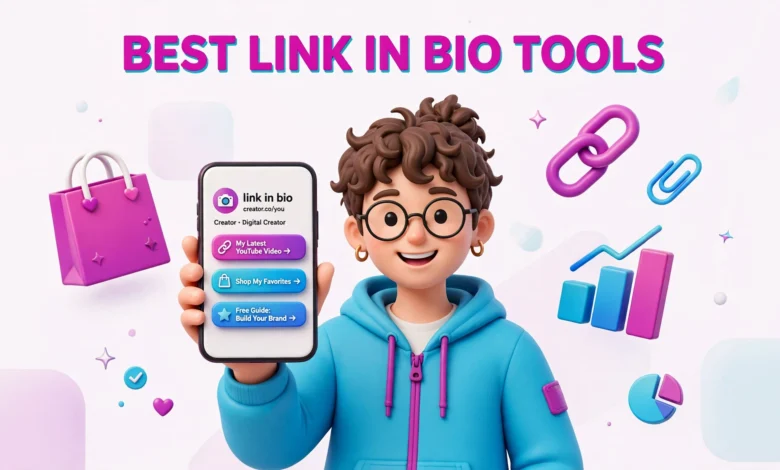
Every platform gives you one clickable link in your bio, and one link is never enough. You want to send people to your newest video, your shop, your newsletter and your other profiles at the same time. A link in bio tool turns that one link into a small landing page that holds everything in one place.
The best link in bio tools for creators in 2026 do more than list links. They help you sell products, collect email addresses and track which links people tap. The wrong tool takes a cut of your sales or charges you monthly for features you never use. This guide compares the main options with real pricing, so you can pick the one that fits you.
Why One Bio Link Is Not Enough Anymore
A few years ago, most creators only needed one link because they only had one thing to promote. That world is gone. A typical creator today has a YouTube channel, an Instagram account, a TikTok account, a digital product and a newsletter.
When you keep changing the single link in your bio, you break every older post that pointed to it. Someone who finds your reel from three months ago taps the link and lands on something else entirely. That is a lost click, and often a lost follower.
A link in bio page fixes this because the link stays the same while the page behind it changes. Update it when you publish something new, and every old post still leads somewhere useful. It also shows several options at once, and it can collect email addresses, so you can still reach your audience if an algorithm stops showing your posts.
What a Good Link in Bio Page Should Actually Do
Before comparing tools, it helps to know what you are buying. A good page does five jobs, and any tool you pay for should handle at least the first three well.
- Hold your most important links in one clean, fast loading page.
- Change links, order and text in seconds without code.
- Show basic analytics, so you can see which links get taps.
- Collect email addresses, so you can reach followers outside social media.
- Sell digital products or take tips without a separate website.
Design matters, but not how most creators think. A page with ten links and three banners looks busy and converts badly. The best pages are simple: a clear photo, one short line about who you are, and links with labels that say exactly what the visitor gets.
Linktree vs Beacons vs Stan Store: The Big Three Compared
Most creators choose between three names, and each serves a different kind of creator. Knowing the difference saves you from paying for a store when you only need links.
Linktree
Linktree is the tool most people have heard of, and for simple link pages it is still solid. The free plan covers unlimited links, basic analytics and simple themes. Paid plans start from about $5 per month and add scheduling, more design control and email capture.
The catch is selling. Linktree takes a 12% seller fee on sales through its shop features on the free plan, a heavy cut on low priced products. If you only need links, Linktree is fine. If selling is your main income, check the fee page or pick a tool built for sellers. Check the current plans at Linktree.
Beacons
Beacons started as a link in bio tool and grew into a fuller creator business platform. The free plan includes links, a store and a media kit, unusually generous for beginners. Paid plans start from about $10 per month and add deeper analytics and email marketing.
Its strongest feature is the media kit. Beacons pulls your follower counts and engagement into a clean one page media kit you can send to brands, which saves time when you chase brand deals. The store is usable too, so sellers of templates or guides can run links and sales from one place. See the current plans at Beacons.
Stan Store
Stan Store is built for creators who sell. It starts from about $29 per month, which sounds expensive next to free tools, but it charges 0% sales fees, so you keep everything you earn. That maths only works if you sell regularly: one $20 sale a month loses money, ten sales beat every tool that takes a percentage.
Stan Store handles digital products, courses, memberships and bookings in one place, and its pages are built to turn visitors into buyers. Choose it when selling is already a real income stream, not when you hope it might become one. If you are still deciding what to sell, read our guide on how to sell digital products as a creator first.
Cheaper and Simpler Picks Worth Knowing
The big three are not the only options. For many creators a cheaper tool does the same job for less money.
- Lnk.Bio: one of the cheapest paid options, from about $0.99 per month or $9.99 as a one time payment. Simple and fast. Best if you only need a tidy link page.
- Taplink: flexible blocks for links, images, video and payments. Good value for a richer page.
- Campsite.bio: a straightforward page with decent design and analytics. A middle ground between Linktree and Beacons.
- Carrd: build a simple one page site for a few dollars a year. More setup, but you own the design.
- Hopp by Wix: a free option with a clean design and simple analytics.
Free plans are useful at the start, but they have limits. Most show the tool branding, some limit your links, and analytics are basic. That is fine while you are small, but do not stay on a free plan that locks your best feature behind a paywall once you grow.
How Much Do Link in Bio Tools Really Cost
The monthly price is only part of the real cost. A $5 plan that takes 12% of every sale can cost more than a $29 plan with no sales fees, once you start selling. Work out the total cost for your situation, not just the headline price.
As a rough guide, a creator who sells nothing can run a good page for free or for about $1 to $5 a month. A creator who sells a few products a month usually lands between $10 and $15 a month. A creator who sells every week should compare the percentage fee with a flat plan, because the flat plan usually wins once monthly sales pass a few hundred dollars.
Prices change, so check the pricing page before you pay, and do not trust a review from two years ago. The numbers here reflect early 2026, and a price that looks too good to be true usually hides fees in the fine print.
How to Pick the Right Tool for Your Situation
There is no single best tool, only a best tool for your situation right now. Match your choice to what you actually do.
- Just starting out, no products yet: use a free plan from Linktree, Beacons or Hopp. Spend on content, not tools.
- Selling a few digital products: Beacons or Taplink give you a store and links in one place.
- Selling every week: Stan Store or a similar flat fee store usually beats percentage fees.
- On a tight budget: Lnk.Bio or Carrd cost almost nothing and cover the basics.
- Chasing brand deals: Beacons stands out for its media kit. Our guide on how to get brand deals with small followers explains what brands look for.
Switching later is not a disaster. Your bio link is a short URL you can update in a minute. Pick something you can live with for at least six months.
How to Set Up a Link in Bio Page That People Actually Click
The tool matters less than the setup. A well arranged free page beats a badly arranged paid page, because visitors decide in seconds whether to tap or leave.
- Keep it to 3 to 5 links. Every extra link makes each one less likely to be tapped.
- Put your most important link first. Most visitors tap the top link.
- Write labels that say what the visitor gets, like Watch the new video.
- Use a clear photo of your face, not a logo.
- Keep your bio line to one sentence about who you help.
- Update the page when you publish, and remove dead links.
Track your clicks, even on a free plan. After two weeks, look at which links get taps and which get ignored. Move the winners higher, rewrite the labels on the losers, and remove anything with no taps after a month.
If your page includes an email signup, give people a reason to join. A free checklist or short guide works far better than a plain box that says Join my newsletter. Email is the one channel no algorithm can take away. If money is the goal, our guide on how to make money as a small creator shows how email, products and brand deals fit together.
Honest Caveats Before You Pay for Anything
Link in bio tools are useful, but the marketing oversells them. No tool will grow your audience for you. A link page only converts the attention you already have, so fix the content first.
Fees eat small sales quietly. A 12% fee on a $5 product is 60 cents, which sounds small, but it adds up across dozens of sales. Always work out what you keep after fees, not just what the customer pays.
Free plans show branding, which tells visitors you are using a free tool. That is fine when you are small, but it looks unpolished once you pitch brands or sell premium products. A paid plan or custom domain removes it.
Never rely on one platform for everything. Your link page should send people to places you control, like your email list and your own website, as well as to your social profiles. A link in bio page is a bridge, not a home.
FAQs About Link in Bio Tools
What is the best free link in bio tool for beginners?
Linktree, Beacons and Hopp by Wix all offer usable free plans. Linktree is the simplest, Beacons gives you a store and media kit for free, and Hopp is a clean free option. Start free, and only pay when a paid feature solves a real problem you have.
Do link in bio tools take a cut of my sales?
Some do and some do not. Linktree charges about a 12% seller fee on free plan sales, while Stan Store charges 0% sales fees but costs about $29 per month. Check the fee page before you sell, and work out what you keep after fees.
Can I use a link in bio tool without a website?
Yes, that is the whole point. A link in bio tool gives you a hosted page with no website needed. If you later want a site of your own, keep the link page as a hub and link to your site from it.
How many links should I put on my link in bio page?
Three to five links work best. Put your most important link first, label each link by what the visitor gets, and remove anything with no taps after a month. A short page with clear choices converts far better than a long list.
Last updated: November 2026.