Roughly seven out of ten online shoppers add products to a cart and then leave without buying. For a WooCommerce store that means most of your hard earned traffic walks away at the very last step, and every abandoned cart is revenue that almost happened. The good news is that many of those shoppers are not gone forever. They got distracted, the shipping cost surprised them, or they simply wanted to sleep on it. A short sequence of well timed reminder emails brings a meaningful share of them back to complete the purchase, and you can set this up completely free with a WordPress plugin. This guide shows you how to recover abandoned carts in WooCommerce without spending anything on paid tools: picking a free plugin, writing the emails, testing the flow, and reducing abandonment at the source.
Why Do Online Shoppers Abandon Their Carts?
Shoppers rarely abandon carts out of spite. Understanding the real reasons helps you write better recovery emails and fix the underlying problems:
- Unexpected extra costs. Shipping fees, taxes, or charges that appear only at checkout are the number one reason carts get abandoned.
- Forced account creation. Many buyers bounce the moment a store demands registration before they can pay.
- A long or confusing checkout. Too many form fields, unclear steps, or errors that wipe entered data kill buying momentum.
- Slow or untrustworthy pages. A sluggish checkout or missing trust signals makes shoppers nervous about entering payment details.
- Comparison shopping. Some visitors treat the cart as a wishlist while they compare prices on other stores.
- Simple distraction. A phone call, a meeting, or a dead battery ends the session right in the middle of checkout.
Most of these are recoverable. A reminder email works especially well for distracted and comparison shoppers, and a small incentive can win back the price sensitive ones.
How Does Abandoned Cart Recovery Actually Work?
Recovery is a simple automation with four moving parts:
- Email capture. The plugin records the shopper’s email address as soon as it is typed at checkout, or through an add to cart popup for guest shoppers.
- Cart tracking. It stores the cart contents and marks the cart as abandoned after a set period of inactivity, usually 30 to 60 minutes.
- Timed emails. The plugin sends a series of reminder emails at intervals you choose, each with a one click link that restores the exact cart.
- Conversion tracking. Recovered orders are attributed to the emails, so you can see exactly how much revenue the sequence earns.
All of this happens in the background once configured. Your only real job is writing good emails and choosing sensible timing.
Which Free Plugin Handles Cart Recovery Best?
I recommend Retainful for this job. It has a free plan that covers the essentials: cart tracking, email capture popups, and an automated recovery email sequence, which is plenty for a small or growing store. Install it from the WordPress plugin directory at wordpress.org/plugins/retainful and connect it to a free Retainful account, which takes about two minutes.
Alternatives exist if you want to compare options later. The official documentation at woocommerce.com explains how abandoned cart emails fit into the broader marketing picture for a store. For this guide I will stick with Retainful, because its free tier is generous for beginners and the setup is genuinely quick.
How Do I Set Up Retainful Step by Step?
Follow these steps in order and you will have recovery running in under twenty minutes:
- Install the plugin. In your dashboard go to Plugins, then Add New, search for Retainful, then install and activate it.
- Enable email capture. Turn on checkout email capture so the plugin records addresses early in the process. This is the single most important setting, because recovery emails can only reach shoppers whose email you captured.
- Enable the add to cart popup. This optional popup asks guest shoppers for their email when they add a product, which dramatically increases the pool of recoverable carts.
- Activate the abandoned cart workflow. Retainful ships with a ready made email sequence. Turn it on, then customize the timing and content as described in the next section.
- Exclude your own address. Add your email to the plugin’s exclusion list so your test orders do not pollute the recovery statistics.
Once these settings are on, every cart on your store is being watched quietly in the background.
What Should the Recovery Email Sequence Look Like?
Three emails is the sweet spot. More than that starts to feel like spam, and fewer leaves money on the table. Here is a timing and content plan that works for most stores:
Email 1: The Friendly Reminder (45 to 60 minutes later)
Send the first email within the hour, while the products are still fresh in the shopper’s mind. Keep it helpful and offer no discount yet, because many shoppers simply need a nudge. Use a subject line like “You left something behind” or “Still thinking it over?”. Show the product image and name, add one clear button that says “Complete your purchase”, and keep the tone warm.
Email 2: The Gentle Nudge with an Incentive (24 hours later)
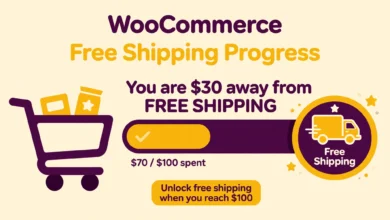
If the first email did not convert, a small incentive often tips the balance. Offer 10 percent off or free shipping with a subject line like “A little something to help you decide”. Mention that the code expires soon to create honest urgency. If you sell with coupons regularly, our guide on creating coupon codes in WooCommerce shows how to generate the discount codes you will reference in these emails. And if shipping cost is a common objection in your store, pair recovery with a free shipping progress bar that shows shoppers how close they are to free delivery.
Email 3: The Final Reminder (2 to 3 days later)
The last email should feel final without being pushy. Remind the shopper that the cart and the discount expire soon, and keep the recovery button prominent. A subject line like “Your cart is about to expire” sets the right expectation. After this email, stop. Respecting the shopper’s silence protects your sender reputation for the emails that matter.
Across all three emails, follow the same rules: one clear call to action, the actual product image, a personal tone, and a working unsubscribe link in the footer.
How Do I Test the Recovery Flow Before Going Live?
Never trust an automation you have not tested yourself. Run through this checklist with a personal email address:
- Open your store in a private browser window and add a product to the cart.
- Start checkout as a guest, type your test email address, then close the tab without paying.
- Wait for the first email to arrive, or temporarily shorten the timing in the plugin settings so testing goes faster.
- Open the email, check that the product image and details look right, then click the recovery link.
- Confirm your cart is restored exactly as you left it, then complete the purchase.
- Check that the order is attributed to the recovery campaign in the plugin reports.
If the email lands in spam, that is a deliverability problem rather than a plugin problem. A reliable host with proper email setup matters here, which is why our web hosting guide covers email deliverability when comparing providers.
How Can I Reduce Cart Abandonment at the Source?
Recovery emails are a safety net, not a strategy. Fewer abandoned carts beat more recovery emails every time:
- Show the full price early. Display shipping estimates on the product or cart page so checkout holds no surprises.
- Enable the add to cart popup. This optional popup asks guest shoppers for their email when they add a product, which dramatically increases the pool of recoverable carts.
- Offer guest checkout. Let buyers pay without creating an account. You can invite them to register after the order is placed.
- Speed up the checkout page. A slow checkout leaks buyers fast. If yours drags, read our guide on why WordPress sites get slow and fix the bottlenecks.
- Offer familiar payment options. Shoppers abandon carts when their preferred payment method is missing. If cash on delivery fits your market, our cash on delivery setup guide walks through enabling it.
Frequently Asked Questions
Is abandoned cart recovery really free?
Yes, up to a point. Retainful’s free plan includes cart tracking, email capture, and a monthly allowance of recovery emails that comfortably covers small stores. You only need a paid plan when your order volume outgrows the free email limit.
How many recovery emails should I send?
Three is the proven standard: a reminder after about an hour, a nudge with a small incentive after 24 hours, and a final email after two or three days. Space them out and always include an easy unsubscribe link.
Do recovery emails work for guest shoppers?
Only if you captured their email address. That is why early email capture at checkout and the add to cart popup matter so much. No email address means no recovery email, which is the biggest reason to enable both capture methods.
Will a cart recovery plugin slow down my store?
Barely. A well built plugin adds minimal overhead because the heavy work of tracking and sending happens through scheduled background tasks. Keep your overall plugin count lean and your store will stay fast.
Last updated: October 2026.