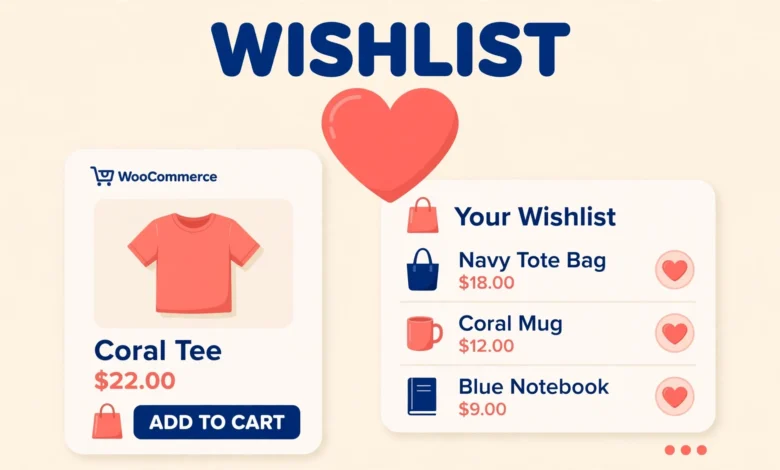
A wishlist is one of the simplest and most useful features a WooCommerce store can add. Customers use it to save products they like but are not ready to buy, to build a shortlist before payday, or to share gift ideas with family. Stores benefit too, because a saved product is one the customer intends to come back for.
Most stores add this feature with a plugin, but a basic wishlist is straightforward with plain WooCommerce hooks and a little custom code. This guide builds one from scratch: a wishlist button on every product, storage in user meta for logged in customers, cookie storage for guests, an AJAX toggle so the button updates without a page reload, and a wishlist page powered by a shortcode.
How Does a No Plugin Wishlist Work?
A wishlist has only four parts. The button sits on the product page and in product loops, and shows whether the product is already saved. The storage keeps the list of product IDs, in user meta for logged in customers and in a browser cookie for guests. The toggle adds or removes a product ID when the button is clicked, and runs over AJAX so the page never reloads. The wishlist page reads the stored IDs and displays those products with a shortcode.
Logged in and guest shoppers are kept separate on purpose. A logged in customer expects their wishlist to follow them across devices, so user meta is the right home for it, because it lives in the database with their account. A guest has no account, so a cookie is the only place their list can live.
How Do I Add the Wishlist Button?
The button is printed with a WooCommerce action hook, so it appears on every product without editing a template file. The hook woocommerce_after_add_to_cart_button runs right after the add to cart button on single product pages, and woocommerce_after_shop_loop_item runs in product listings. One function hooked into both places covers the whole store. Add the code with the Code Snippets plugin or in your child theme functions.php file.
function vutg_wishlist_button() {
global $product;
if ( ! $product ) {
return;
}
$product_id = $product->get_id();
$saved = vutg_is_in_wishlist( $product_id );
$label = $saved ? 'Saved to wishlist' : 'Add to wishlist';
$class = $saved ? 'vutg-wishlist-btn saved' : 'vutg-wishlist-btn';
echo '<button type="button" class="' . esc_attr( $class ) . '" data-product-id="' . esc_attr( $product_id ) . '">';
echo '<span class="vutg-heart">♡</span> ' . esc_html( $label );
echo '</button>';
}
add_action( 'woocommerce_after_add_to_cart_button', 'vutg_wishlist_button' );
add_action( 'woocommerce_after_shop_loop_item', 'vutg_wishlist_button', 15 );The function checks whether the product is already saved, then prints a button with the right label and class.
How Do I Store Wishlists for Logged In Customers?
For a logged in customer, the wishlist is a simple array of product IDs stored in user meta. WordPress handles the database work, so the code is short: read the array, add or remove an ID, and save it back. The toggle function below does all three steps and returns the new state so the button can update its label.
function vutg_get_wishlist_ids() {
    if ( is_user_logged_in() ) {
        $ids = get_user_meta( get_current_user_id(), 'vutg_wishlist', true );
        return is_array( $ids ) ? $ids : array();
    }
    $cookie = isset( $_COOKIE['vutg_wishlist'] ) ? sanitize_text_field( wp_unslash( $_COOKIE['vutg_wishlist'] ) ) : '';
    $ids    = $cookie ? json_decode( $cookie, true ) : array();
    return is_array( $ids ) ? array_map( 'absint', $ids ) : array();
}

function vutg_is_in_wishlist( $product_id ) {
    return in_array( $product_id, vutg_get_wishlist_ids(), true );
}

function vutg_toggle_wishlist( $product_id ) {
    $ids = vutg_get_wishlist_ids();
    if ( in_array( $product_id, $ids, true ) ) {
        $ids = array_diff( $ids, array( $product_id ) );
        $saved = false;
    } else {
        $ids[] = $product_id;
        $saved = true;
    }
    $ids = array_values( array_unique( array_map( 'absint', $ids ) ) );
    if ( is_user_logged_in() ) {
        update_user_meta( get_current_user_id(), 'vutg_wishlist', $ids );
    } else {
        setcookie( 'vutg_wishlist', wp_json_encode( $ids ), time() + 30 * DAY_IN_SECONDS, COOKIEPATH, COOKIE_DOMAIN );
    }
    return $saved;
}
Every other part of the feature calls this get function instead of reading storage directly.
How Do I Store Wishlists for Guests With Cookies?
Guest storage uses the same toggle function above, because it already branches on login state. For a guest it writes the ID list into a cookie called vutg_wishlist as a JSON string, with a 30 day expiry. Thirty days is long enough for a shopper to come back and buy, and short enough that stale lists clear themselves without any cleanup job.
Cookies have real limits worth knowing. A browser caps each cookie at roughly 4 KB, which holds a few hundred product IDs, so it is plenty for a wishlist. The cookie is also tied to one browser on one device, so a guest who saves a product on their phone will not see it on their laptop. That is expected behaviour for guest storage, and another reason to encourage account creation at checkout.
How Do I Make the Button Work With AJAX?
Without AJAX, every wishlist click would reload the page. AJAX lets the button update in place: the heart fills, the label changes to Saved to wishlist, and nothing else on the page moves. The setup has two halves: a PHP handler that runs the toggle, and a small JavaScript file that sends the click to it. The official AJAX in plugins handbook on developer.wordpress.org documents the pattern used here.
function vutg_wishlist_ajax() {
    check_ajax_referer( 'vutg_wishlist_nonce', 'nonce' );
    $product_id = isset( $_POST['product_id'] ) ? absint( $_POST['product_id'] ) : 0;
    if ( ! $product_id || 'product' !== get_post_type( $product_id ) ) {
        wp_send_json_error( array( 'message' => 'Invalid product.' ) );
    }
    $saved = vutg_toggle_wishlist( $product_id );
    wp_send_json_success( array(
        'saved' => $saved,
        'label' => $saved ? 'Saved to wishlist' : 'Add to wishlist',
        'count' => count( vutg_get_wishlist_ids() ),
    ) );
}
add_action( 'wp_ajax_vutg_wishlist_toggle', 'vutg_wishlist_ajax' );
add_action( 'wp_ajax_nopriv_vutg_wishlist_toggle', 'vutg_wishlist_ajax' );
Both wp_ajax_ and wp_ajax_nopriv_ hooks are registered, because guests need the toggle just as much as logged in customers.
jQuery( document ).on( 'click', '.vutg-wishlist-btn', function() {
    var button = jQuery( this );
    var productId = button.data( 'product-id' );
    button.prop( 'disabled', true );
    jQuery.post( vutgWishlist.ajaxUrl, {
        action: 'vutg_wishlist_toggle',
        product_id: productId,
        nonce: vutgWishlist.nonce
    }, function( response ) {
        button.prop( 'disabled', false );
        if ( ! response.success ) {
            return;
        }
        button.toggleClass( 'saved', response.data.saved );
        button.find( '.vutg-heart' ).html( response.data.saved ? '♥' : '♡' );
        button.contents().filter( function() {
            return this.nodeType === 3;
        } ).last().replaceWith( ' ' + response.data.label );
        jQuery( '.vutg-wishlist-count' ).text( response.data.count );
    } );
} );
The script disables the button while the request runs, then updates the saved class, heart, label, and header count from the response.
How Do I Build the Wishlist Page?
The wishlist page is powered by a shortcode, so it works with any theme and any page builder. Create a page called Wishlist, then paste the shortcode [wishlist] into it as plain text. When a visitor opens the page, the shortcode function reads the stored product IDs and prints them in a simple list with a remove button on each row. If the list is empty, it shows a friendly message instead.
function vutg_wishlist_page() {
    $ids = vutg_get_wishlist_ids();
    if ( empty( $ids ) ) {
        return '<p>Your wishlist is empty. Browse the shop and tap the heart on any product to save it here.</p>';
    }
    $query = new WP_Query( array(
        'post_type'      => 'product',
        'post__in'       => $ids,
        'posts_per_page' => 24,
        'orderby'        => 'post__in',
    ) );
    $output = '<ul class="vutg-wishlist-list">';
    while ( $query->have_posts() ) {
        $query->the_post();
        global $product;
        $output .= '<li><a href="' . esc_url( get_permalink() ) . '">' . esc_html( get_the_title() ) . '</a> ';
        $output .= '<button type="button" class="vutg-wishlist-btn saved" data-product-id="' . esc_attr( $product->get_id() ) . '">Remove</button></li>';
    }
    wp_reset_postdata();
    $output .= '</ul>';
    return $output;
}
add_shortcode( 'wishlist', 'vutg_wishlist_page' );
The query orders by post__in, so products appear in the order the shopper saved them.
Link this page in your header menu so shoppers can find it. A heart icon with a count next to the cart icon works well, and the JavaScript above keeps that number in sync. Our guides to creating a coupon code in WooCommerce and setting a minimum order amount in WooCommerce cover two features worth mentioning on the wishlist page.
How Do I Style the Button and Page?
A wishlist button only works if shoppers notice it, so style it to stand out without clashing with the add to cart button. A bordered button with a heart icon reads clearly as a save action, and the saved state fills the heart and changes the border colour. Add the CSS in Appearance then Customize then Additional CSS, or in your child theme stylesheet. For product setup context, our guide to WooCommerce product variations shows how the product page is structured.
.vutg-wishlist-btn {
    display: inline-flex;
    align-items: center;
    gap: 6px;
    margin-top: 12px;
    padding: 10px 18px;
    background: #fff;
    border: 1px solid #ccc;
    border-radius: 4px;
    cursor: pointer;
    font-size: 0.95em;
}
.vutg-wishlist-btn.saved {
    border-color: #d63638;
    color: #d63638;
}
.vutg-wishlist-btn .vutg-heart {
    font-size: 1.2em;
}
.vutg-wishlist-list li {
    display: flex;
    align-items: center;
    gap: 16px;
    padding: 12px 0;
    border-bottom: 1px solid #eee;
}
What About Full Page Caching?
Full page caching is the one trap that catches almost every hand built wishlist. A cached product page is served to every visitor from the cache, which means the button state is frozen at whatever it was when the page was cached. A shopper who saved a product may still see Add to wishlist on their next visit, because the cache serves the old button. The wishlist itself still works, since the toggle runs over AJAX and the data lives in user meta or a cookie, but the button label lies about the saved state.
The fix is to set the button state with JavaScript after the page loads, not in the cached HTML. Add a small script that reads the wishlist IDs from a lightweight AJAX call or from the cookie, then marks the matching buttons as saved. That call runs on every page load, but it is tiny, and it keeps the button honest on a fully cached store.
Exclude the wishlist page itself from the page cache, because its content is different for every shopper. Most caching plugins let you exclude a URL pattern, so add /wishlist/ to the exclusion list. The cart and checkout pages are already excluded by WooCommerce for the same reason, and the wishlist page belongs in the same category. Our web hosting guide covers cache friendly hosting as a buying factor.
Frequently Asked Questions
Can guests use the wishlist without an account?
Yes. Guests store their wishlist in a browser cookie that lasts 30 days, so they can save products and come back later on the same device.
Does the wishlist work with variable products?
Yes, with one limitation: this basic version saves the parent product ID, not the chosen variation. A shopper who saves a variable product lands back on the product page and picks the variation again. Storing the variation ID alongside the product ID is a natural next step.
Will the wishlist slow down my store?
No. Reading a short array from user meta or a cookie is a tiny operation, and the AJAX toggle runs only when a button is clicked. The only performance note is the caching caveat above: keep the wishlist page out of the page cache and set the button state with JavaScript.
Can I email customers about products in their wishlist?
For logged in customers, yes, because their wishlist lives in user meta and you can read it with a scheduled task or an automation plugin. A price drop reminder or a back in stock email for saved products is one of the best uses of wishlist data. Guests cannot be emailed, because a cookie holds no email address.
Last updated: November 2026.